JavaScript scrollTo() method


This method of JavaScript scrolls content of the window to the specified coordinate position. Syntax for scrollTo() method is as follows:
Syntax :
| window.scrollTo( xValue, yValue) ; |
Where xValue and yValue are the parameters which represents x-axis coordinate position and y-axis coordinate position.
Description of code:
Let's understand the use of scrollTo() method with a simple example. In this example we have created a simple HTML page which have two input boxes for taking inputs by the user. These text boxes takes the X-axis coordinate position and Y-axis coordinate position. These values would be passed to the scrollTo() method.
Here we have created one button "Scroll to given position" which calls function "scrollToWindow()" on click event. The function scrollToWindow() is defined in the JavaScript written between the <script></script> tags.
  function scrollToWindow()
  {
   var xpos= document.getElementById('txtXpos').value;
   var ypos= document.getElementById('txtYpos').value;
   alert("Scroll to X-"+xpos+" and Y-"+ypos);
   window.scrollTo(xpos,ypos);
  }
|
In above lines of code, first two lines of function defined two variables xpos and ypos. These variables holds the value taken as input for the text boxes "txtXpos" and "txtYpos". In third line we have called the alert() method and the final and fourth line calls the scrollTo() method by the window reference object. Here is the full HTML code as follows :
<html>
<head>
<script language="JavaScript">
function scrollToWindow()
  {
  var xpos= document.getElementById('txtXpos').value;
   var ypos= document.getElementById('txtYpos').value;
   alert("Scroll to X-"+xpos+" and Y-"+ypos);
  window.scrollTo(xpos,ypos);
  }
</script>
</head>
<body>
<div style="background: #ff9900; width:'100%';"
    align="center">
  <font color="#0000ff" size="12pt">
	<b>scrollTo Example</b>
  </font>
 </div>
<br>Rose<br>India<br>Technologies<br>Pvt.<br>Ltd.<br>
   <br><hr>
    <p>X-axis <input type="text" id="txtXpos" /></p>
	<p>Y-axis <input type="text" id="txtYpos" />
     </p>
<input type="button" onclick="scrollToWindow()"
    value="Scroll to given position" />
<hr><br><br>
</body>
</html>
|
Output :
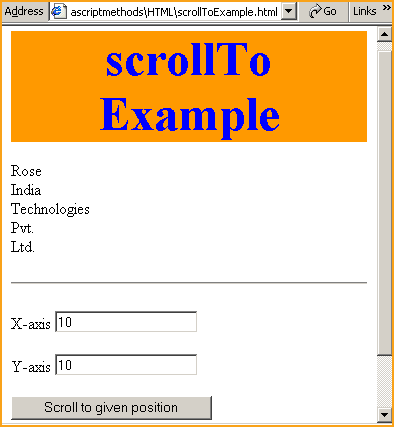
Input X-axis and Y-axis position into input boxes into input text box.

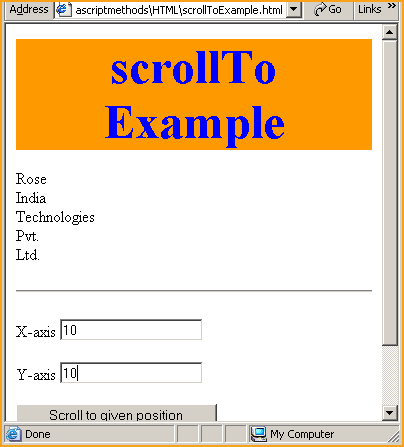
Suppose we have provided the position 10,10 then it will scroll window to the (X,Y) position i.e (10,10).
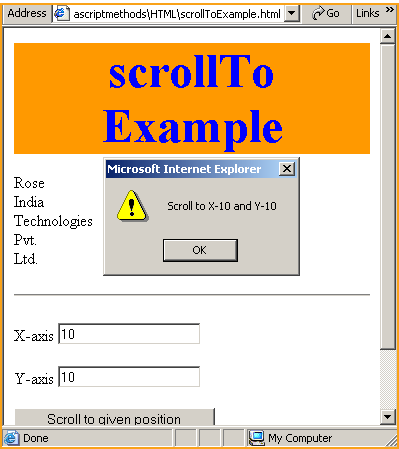
By clicking on the button "Scroll to given position" it will scroll to the specified position.
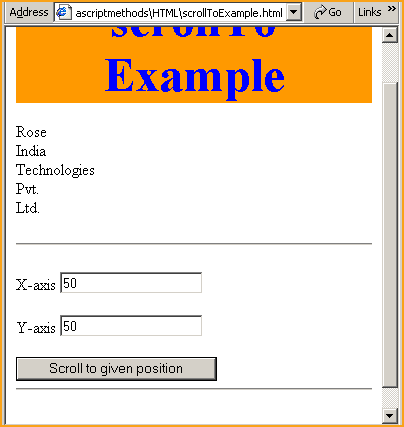
If we enter X-axis and Y-axis values to 50,50
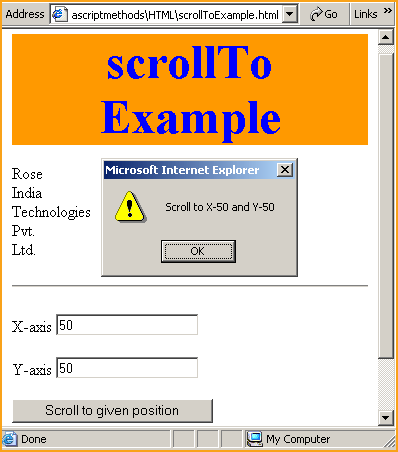
it will scroll the window to the position (50,50)