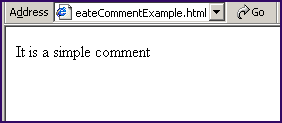
JavaScript createComment method


We can use the JavaScript method createComment to create the comment in the JavaScript. In the following tutorial we have shown the use of createComment() method in the JavaScript.
Syntax:
| document.createComment(commentString); |
Description of code :
First and second line in the following html code is the declaration for html page. After that we have used the tag <script></script> for defining the working JavaScript. In the JavaScript code we have declared the function funcCreateComment() which generates comment by using the method createComment() and will print it to the html page later. This function is being called by clicking on the button "Create Comment".
Given below is the full html code for createCommentExample.html
| <html> <head> <script type="text/javascript"> function funcCreateComment() { var comment=document.createComment( 'It is a simple comment'); var output=comment.data; alert("Comment Created"); document.write(output); } </script> </head> <body> <div style="background: #cf2255; width:'100%';" align="center"> <font color="#ffffcc" size="12pt"> <b>Create Comment Example</b></font></div> <input type="button" onclick="funcCreateComment(); |
Output :

Click on the Create Comment button.
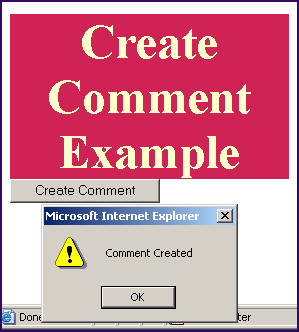
Alert message will show the message that comment is generated.