JavaScript createEventObject method


If user wants to create and add any event to the specified object then its possible to create and add event to the objects with the help of JavaScript. We can create an event object by using the JavaScript method createEventObject(). As well as we can fire this event with the html button by using the method fireEvent().
Syntax:
| documentObject.createEventObject(); |
Description of code:
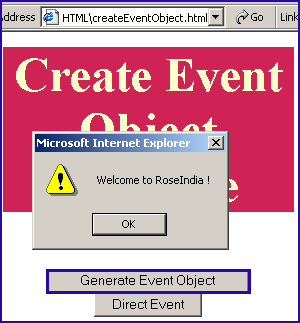
When we click on the button "Generate Event Object" then it calls the function "first()" which creates an event object and calls the fireEvent() method with the argument value "onclick" and the created event object, it calls the alert() method with the message "Welcome to RoseIndia !" and when user clicks on the "Direct Event" button it calls the alert() method directly.
createEventObjectExample.html
| <html> <body> <script language="JavaScript"> function first() { var event = document.createEventObject(); parent.document.getElementById("button").fireEvent("onclick", event); event.cancelBubble = true; } function second() { alert('Welcome to RoseIndia !'); } </script> <div style="background: #cf2255; width:'100%';" align="center"> <font color="#ffffcc" size="12pt"><b>Create Event Object Example</b></font></div> <p> </p> <center> <button onclick="first();">Generate Event Object</button> <button id="button" onclick="second();">Direct Event</button> </center> </body> </html> |
Output:
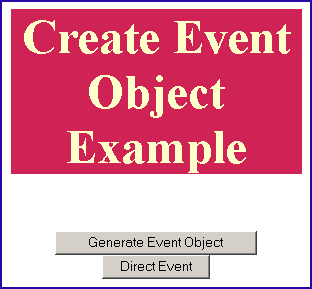
When you will click on the "Generate Event Object" it calls the generated event and then it fires that event which will show an alert message "Welcome to RoseIndia !"