JavaScript clearTimeOut method


JavaScript's HTML DOM window object method clearTimeOut() method is used to stop or clear the time out variables value. In this section of JavaScript methods tutorials we will be able to clear the set time out variables value.
Syntax:
| window.clearTimeout( setTimeOutVariable ); |
Description of code :
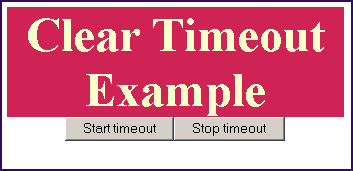
In our html code we have created two buttons. One buttons sets the timeout variable's value to the one thousand millisecond and another clears this value by getting the time out variables set value. Here is the full example code of clearTimeoutExample.html as follows:
clearTimeoutExample.html
| <html> <body> <script language="javascript"> var intValue = 0 function myMethod(){ alert('timeout'); } </script> <p> </p> <p align="center"> </p> <div style="background: #cf2255; width:'100%';" align="center"> <font color="#ffffcc" size="12pt"><b>Clear Timeout Example</b></font></div> <center> <button onclick="intValue=window.setTimeout('myMethod()', 1000);">Start timeout</button> <button onclick="intValue=window.clearTimeout(intValue);">Stop timeout</button> </center> </body> </html> |
Output :