JavaScript createCaption method


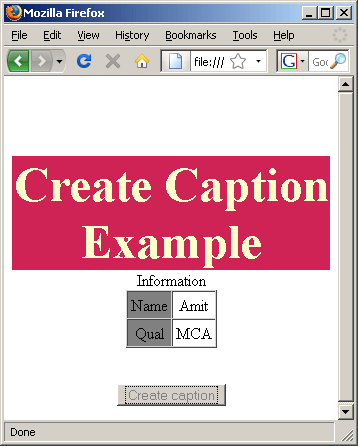
In the JavaScript we can add the table's caption dynamically by using the method createCaption(). The createCaption() method is used to create an empty caption element for a table. We can use the property innerHTML onto the created caption object to add the caption with some value.
Syntax:
| table_Object.createCaption() ; |
Description of example:
In the following example code we have created a table which is not having any caption and we will add the caption to this table by using the method createCaption(). We have create a button element in the HTML page which will call the function createCaption() which we have defined in our script tags. To create caption we have used createCaption() method on the table's object and then to add some value to the caption we will use the innerHTML property of the caption object.
Here is the full example code of creating and adding the caption element to the table as described below:
createCaptionExample.html
<html>
 <head>
  <script type="text/javascript">
   function createCaption()
   {
     var cap=document.getElementById('table').createCaption();
     cap.innerHTML="Information";
   }
  </script>
 </head>
<body>
<p> </p>
<p align="center"> </p>
<div style="background: #cf2255;
width:'100%';"
align="center">
<font color="#ffffcc"
size="12pt">
<b>
Create Caption Example
</b>
</font>
</div>
<center>
<table id="table"
border="1"
cellspacing="0"
cellpadding="3" >
<tr>
<td align="center" bgcolor="#808080">
<p align="center">Name</p>
</td>
<td align="center">
<p align="center">Amit</p>
</td>
</tr>
<tr>
<td align="center" bgcolor="#808080">
<p align="center">Qual</p>
</td>
<td align="center">
<p align="center">MCA</p>
</td>
</tr>
</table>
</center>
<p align="center">
<br />
<input type="button" onclick="createCaption();
this.disabled=true;"
value="Create caption">
</body> </html> |
Output:
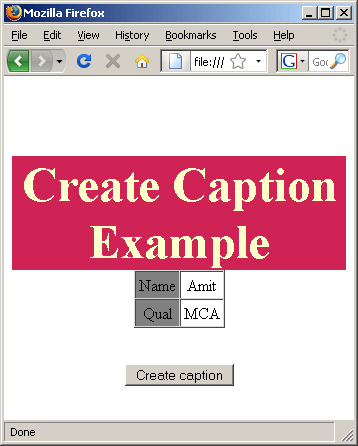
click on the button "Create caption" , it will create and add the table's caption into the table body.