JavaScript dragDrop method


We can do lots of things with the JavaScript code instead of creating tables dynamically , adding and deleting table footers , showing alert message , client side validation and many more. We can also write script for dragging and dropping the elements for enhancing the simple html page. For drag and drop we can use the method dragDrop() of the JavaScript. By dragging we mean that left-mouse-click on the element and then hold it for some time and move your mouse pointer to the destination and release mouse button over it, it will drop element to the destination folder.
Syntax :
| ElementObject.dragDrop(); |
Description of code :
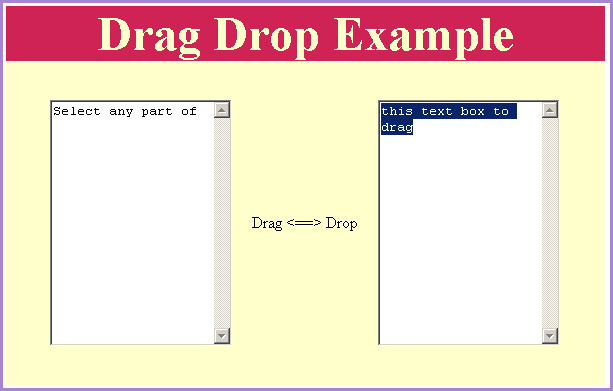
To implement drag and drop operation in the html page we have created two text areas. One is the source text area from where we have to select the text and another is the destination text area to where we have to drop the selected text. To implement this functionality we have created a div which contains both text areas "source" as well as "destination" and we have called the function dragDropFunc() on event "mouseup" of the whole div. In function dragDropFunc() we have made the source object to be able drag and drop like the code given as below:
| var isDragged = document.all.source.dragDrop(); |
Here is the full example html code for dragDropExample.html as given below:
<html>
<body>
<script language="JavaScript">
function dragDropFunc() {
var isDragged = document.all.source.dragDrop();
}
</script>
<div style onMouseUp="dragDropFunc();">
<p align="center"> </p>
<div style="background: #cf2255; width:'100%';" align="center">
<font color="#ffffcc" size="12pt">
<b>Drag Drop Example</b></font></div>
<center>
<div style="background: #ffffcc; width:'100%';"
align="center">
<p> </p>
<table border="0" cellpadding="0" cellspacing="0"
width="510" height="104">
<tr>
<td width="151" >
<textarea cols="20" id="source" rows="15">
Select any part of this text box to drag</textarea>
</td>
<td width="185" height="104" valign="middle"
align="center">Drag <==> Drop</td>
<td width="174" height="104">
<textarea cols="20" id="destination" rows="15"></textarea>
</td>
</tr>
</table>
<p>
</div>
</center>
</div>
</body>
</html>
|
Output:
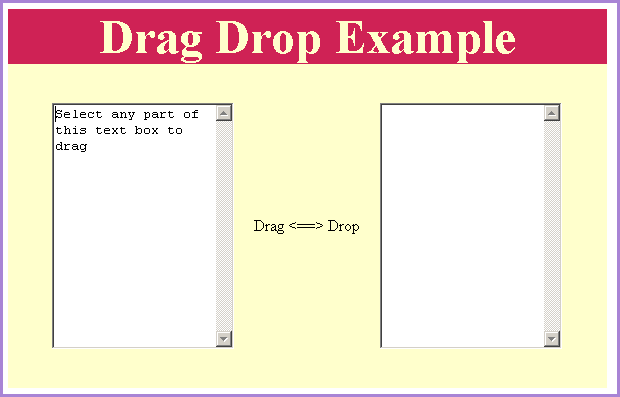
Select some or full part of the text to drag it to the destination text and then drop it to the another text area.