
JavaScript duplicate method


JavaScript's duplicate method creates a duplicate copy of the specified text range. In this example code we have called the duplicate method on the text range object to create a duplicate copy of that text and then it will be displayed through the alert() method. This method duplicate is applied to the "textrange". Syntax for using the duplicate method is as follows:
Syntax:
| TextRangeObject.duplicate(); |
Description of code:
In this html page we have created a html page with the one text box and one button. When button is clicked it takes the value from the text box and on it creates the text range and thereafter we have called the duplicate() method on it. When button is clicked it calls the method duplicateFunc() method defined in the JavaScript.
| <html> <body> <script language="JavaScript"> function duplicateFunc() { var textValue = txt.createTextRange(); if(textValue.duplicate().text==""){ alert("No text to display"); } else{ alert(textValue.duplicate().text); } } </script> <p align="center"> </p> <div style="background: #cf2255; width:'100%';" align="center"> <font color="#ffffcc" size="12pt"><b>Duplicate Example</b></font></div> <center> <div style="background: #ffffcc; width:'100%';" align="center"> <input type="text" id="txt" value="" /> <br> <button id="myButton" onclick="duplicateFunc();">Call Duplicate</button> </div> </center> </body> </html> |
Output:
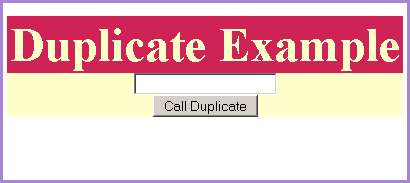
Enter some text into the text box and click on the "Call Duplicate" button.
