JavaScript elementFromPoint method


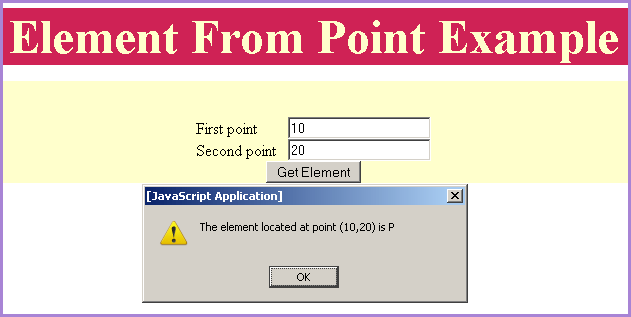
JavaScript method elementFromPoint returns the presented element at the specified coordinate position given in the arguments. In our example of elementFromPoint we have taken the coordinate position by the user and then it will display element from that position.
Syntax:
| element = document.elementFromPoint( X,Y) ; |
where element is the element object and X and Y are the coordinates position.
Description of code:
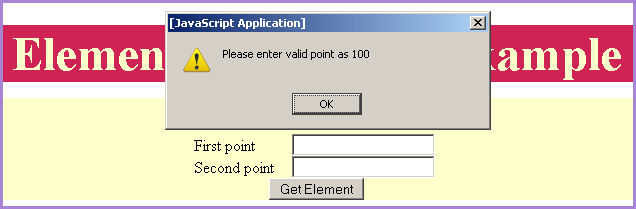
In this example code we have created two text boxes which is used for taking the coordinate positions by the user. When user clicks on the button "Get Element" it calls the function getElement() defined in the JavaScript. If user does not enter any coordinate position then it check it and prints the alert message to enter coordinate positions in the number format. After getting the appropriate position it shows the founded element at the specified position in the alert message. Here is the full example html code described as below:
elementFromPointExample.html
| <html> <body> <script language="JavaScript"> function getElement() { var firstPoint = document.getElementById("txt1").value; var secondPoint= document.getElementById("txt2").value; if(firstPoint==""){ alert("Please enter valid point as 100"); return false; } else if(secondPoint==""){ alert("Please enter valid point as 100"); return false; } var tagObject = document.elementFromPoint(firstPoint, secondPoint); var element = tagObject.tagName; alert("The element located at point ("+firstPoint+","+secondPoint+") is "+element); } </script> <p align="center"> </p> <div style="background: #cf2255; width:'100%';" align="center"> <font color="#ffffcc" size="12pt"><b>Element From Point Example</b></font></div> <center> <div style="background: #ffffcc; width:'100%';" align="center"> <p align="left"> </p> <table border="0" cellpadding="0" cellspacing="0" width="32%"> <tr> <td width="40%">First point</td> <td width="60%"> <input type="text" id="txt1" value=""/></td> </tr> <tr> <td width="40%">Second point </td> <td width="60%"><input type="text" id="txt2" value=""/></td> </tr> <tr> <td width="30%" colspan="2" valign="middle" align="center"> <button onclick="return getElement();">Get Element</button> </td> </tr> </table> </div> </center> </body> </html> |
Output :
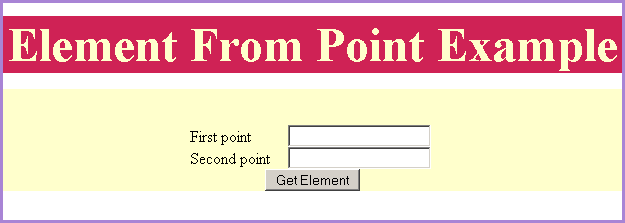
If you will not enter the element position then it will show an alert message to you to enter the position in the number format.