JavaScript bold method


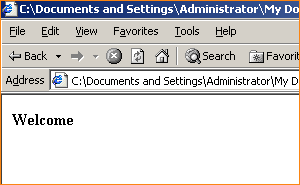
One of the method defined in the string to show bold string value in the html page can be used to bold the text on the document. Here in our example we have taken the text value from the input text and then it will be printed on the browser in the bold manner by applying the bold() method on the string.
Syntax :
| string_object.bold(); |
Description of example:
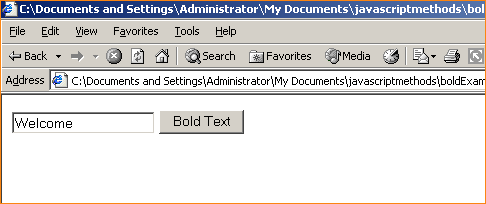
We have created one input text and one button here and in input text we are taking the text string to whom we have to show in the bold manner and button calls a function "functionBold()" which will take the input text value by id and then we will print it on the browser in the bold manner by using the document.write() method.
Here is the full example code for using bold() method as given below:
<html>
<body>
<script language="JavaScript">
function functionBold(){
   var val=document.getElementById("mytext").value;
   alert(val);
   document.write(val.bold());
}
</script>
<input id="mytext" type="text" value="" >
<input type="button" onclick="functionBold();" value="Bold Text"/>
</body>
</html>
|
Output: