JavaScript method doScroll()


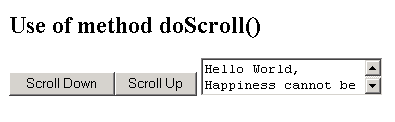
This section illustrates you the use of JavaScript method doScroll(). This method simulates a user action on a scroll bar component. In the given example we have created a text area in order to scroll it by using the method doScroll(). Its syntax is:
document.all.elementID.doScroll(p) where p is the scrolling action.
Here is the code:
| <html> <h2>Use of method doScroll()</h2> <script language="JavaScript"> function scrollDown ( ) { s.doScroll ( "scrollbarDown" ); } function scrollUp(){ s.doScroll ( "scrollbarUp" ); } </script> <body> <button onclick="scrollDown()">Scroll Down</button> <button onclick="scrollUp()">Scroll Up</button> <textarea id="s">Hello World, Happiness cannot be traveled to, owned, earned, worn or consumed. Happiness is the spiritual experience of living every minute with grace and gratitude.</textarea> </body> </html> |
Output will be displayed as: