JavaScript appendChild method


In JavaScript if we want to append the HTML child element to any previously existing element then we can use appendChild() to add the child element.
For example if we want to append a child element to the document's body then we can write like this
| document.body.appendChild(); |
Description of example:
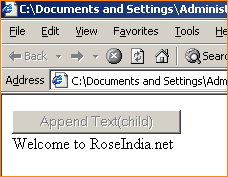
Here in this example code we have created a button named "Append Text(child)" which is used to call JavaScript function funAppendChild() into which we have added the text to the document by using the method createTextNode() now we have appended the child node by using the JavaScript method appendChild().
<html>
<body>
<script language="javascript">
   function funAppendChild(){
     var txt = 'Welcome to RoseIndia.net';
     var newtext = document.createTextNode(txt);
     document.body.appendChild(newtext);
   }
</script>
<body id="body">
<button onclick="funAppendChild(); this.disabled=true;"> Append Text(child) </button> <br> </body> </html> |
Output:

When user clicks on the "Append Text" button it appends a child text to the document body.