JavaScript scrollIntoView() method


This method scrollIntoView() is supported by both Internet Explorer and Firefox and can be a very useful method while applying scrolling property to HTML page, div or frame. It scrolls the page, div or frame until the searching element is in the view.
Syntax :
| element.scrollIntoView( topalign); |
where topalign is a boolean value and is optional. If it is set to the value "true" it aligns the element with the top of scroll area and if it is "false" it aligns element with the bottom of scrolled area. By default if no value is provided then it automatically aligns element with the top of scrolled area by assuming topalign value to be true.
Note : To view scrollIntoView() method functionality we must apply the scrolling property of the element to be visible.
Let's understand the use of scrollIntoView() method with an example :
In the following example we have created a button "Show RoseIndia" which calls the function showRoseIndia() on the click event.
 function showRoseIndia(paraId)
 {
   var element = document.getElementById(paraId);
   element.scrollIntoView(true);
 }
|
We have passed the paragraph's id into the function showRoseIndia(), which is to be searched for view. Full HTML code is as given below :
<html>
 <head>
  <script type="text/javascript">
    function showRoseIndia(paraId)
    {
      var element = document.getElementById(paraId);
      element.scrollIntoView(true);
    }
  </script>
 </head>
<body>
<div style="background: #ff9900; width:'100%';"
    align="center">
  <font color="#0000ff" size="12pt">
    <b>scrollIntoView Example</b>
  </font>
 </div>
<div style="height: 100px; overflow: scroll;">
 <p>Rose India Technologies Pvt. Ltd.  is a global
                 services company that ensures<br>
     maximum returns by providing quality software
     solutions and services. The Indian<br>
     based company provides services to several
     reputed institutional clients, in the<br>
     domain of IT and IT enabled Technologies.</p>
     <p id="roseindiaPara"><i><b>RoseIndia Technologies
     </b></i></p>
     <p> We help in understanding the client requirements
     and offer customized solutions<br>
     in various specialized areas like Web based Technologies,
     Database Systems, Client <br>
     Server Architecture, E-commerce Solutions and Consultancy
     Services. Other services <br> offered include Online Technical
     Tutorials, Content Development and Generation, Web <br>
     solutions for B2B, B2C, C2C and Travel portals, Web
     Development, Promotion and Hosting, <br>
     and Applications Service Provider Solutions. With expertise
     and skilled human resource, we<br>
     also provide assistance for offshore development of projects.
 </p>
</div>
 <br>
 <input type="button" value="Show RoseIndia"
    onclick='showRoseIndia("roseindiaPara");
    this.disabled="true"'>
</body>
</html>
|
Output :
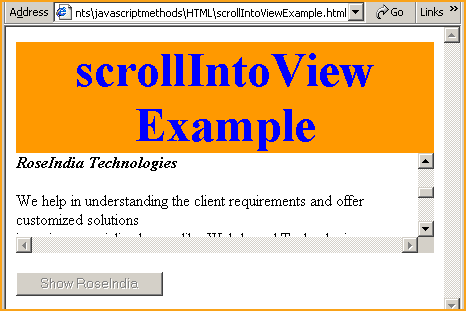
Click on the button to show paragraph "RoseIndia Technologies".
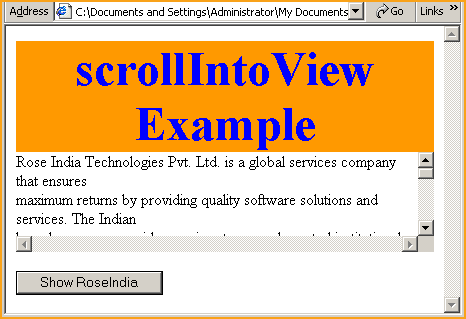
You can see that it has scrolled the element <div> unless it finds the paragraph as specified.