
JavaScript scrollBy() method


JavaScript method scrollBy() can be used to scroll window by the provided number of pixels. One most important thing here to notice is that it can scroll windows only if the scrolling property is visible. If scrolling property would not be visible it would not be applied.
Syntax :
| window.scrollBy( xAxis, yAxis) ; |
where xAxis specifies the number of pixels window is to be scrolled along X-axis and yAxis specifies the number of pixels window is to be scrolled along Y-axis and both of these arguments are required.
Description of code:
To illustrate the use of scrollBy() method, we have created a simple example which will scroll window by the 100, 100 pixels position on the X-axis and Y-axis both. Here in HTML page we have created a button "Scroll" which calls the function scrollWindow() when clicked. In this function we have called the scrollBy() method with the window object.
 function scrollWindow()
 {
   window.scrollBy(100,100);
  }
|
Here is the full HTML code for scrollBymethod.html as follows :
<html>
 <head>
  <script language="JavaScript">
  function scrollWindow()
  {
   window.scrollBy(100,100);
  }
  </script>
 </head>
<body>
 <div style="background: #ff9900; width:'100%';"
      align="center">
  <font color="#0000ff" size="12pt">
	<b>scrollby Example</b>
  </font>
 </div>
 <br>Rose<br>India<br>Technologies<br>Pvt.<br>Ltd.<br>
     <br><br>
 <input type="button" onclick="scrollWindow()"
          value="Scroll" />
 <br><br><br><br><br><br><br><br>
 </body>
</html>
|
Output :
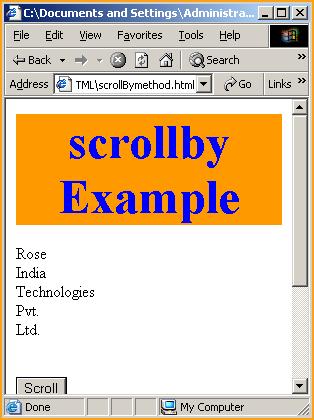
Click on the "Scroll" button to scroll window upward with the 100 pixels on X-axis and 100 pixels on Y-axis.
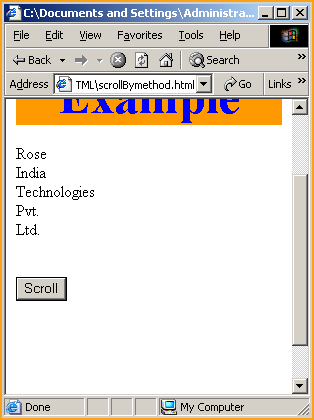
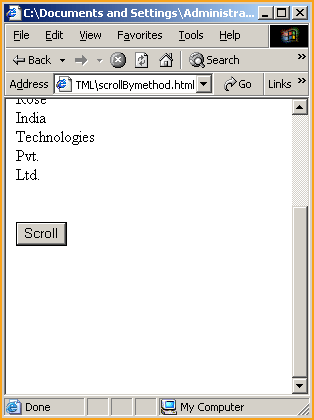
You can see that it has scrolled the window with the X-axis and Y-axis positions provided into scrollBy() method.
You can also download the full source code by the following link.