JavaScript setMonth() method


JavaScript setMonth() method is used to set month for the date object.
Syntax:
| dateObject.setMonth( month ,day ); |
Where month is a number between 0 to 11 and its representations are as follows :
| Month Number | Represents Month |
| 0 | January |
| 1 | February |
| 2 | March |
| 3 | April |
| 4 | May |
| 5 | June |
| 6 | July |
| 7 | August |
| 8 | September |
| 9 | October |
| 10 | November |
| 11 | December |
The parameter day is optional and consists a numerical value between 1 to 31 that represents the day. Note that we must need to have a date object to call this method.
Description of code :
To illustrate the use of setMonth() method we have created a simple html page and in this page we have provided a text box. User can enter month number here. We also have suggested that user must input the month number between 0 to11. If user enters any thing else than valid month number between 0 to 11 then it shows "Invalid month number" message into alert method.
When user clicks on the button "Set Month" after inserting month it checks that whether month number provided is valid or not. Here is the full example code :
<html>
<head>
<script language="JavaScript">
   function setMonthFunction()
   {
    var dt= new Date();
    var month = document.getElementById('monthValue').value;
    if(month >=0 && month <=11){
       	alert("Current date :" +dt);
	dt.setMonth(month);
	alert("Date after set :"+dt);
	return true;
     }
    else
     {
	alert("Invalid month number");
	return false;
     }
   }
</script>
</head>
<body>
<div style="background: #ff9900; width:'100%';"
      align="center">
  <font color="#0000ff" size="12pt">
	<b>setMonth() Example</b>
  </font>
 </div>
 <center>
    Insert any number between 0 to 11 to set Month
    <input type="text" id="monthValue" /><br>
    <input type="button" value="Set Month"
     onClick="return setMonthFunction();"/>
 </center>
</body>
</html>
|
Output :
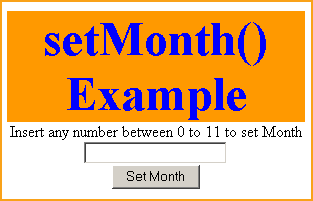
Input valid month number to set into setMonth() method.
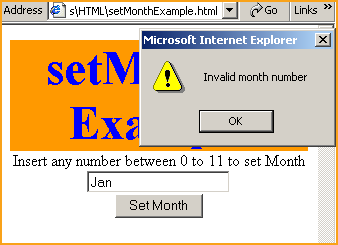
If user enters any thing else than a valid month number then it will show message "Invalid month number" into an alert message. For example if we enter Jan, Feb or any thing other than a number between 0 to 11 then it shows an alert message.
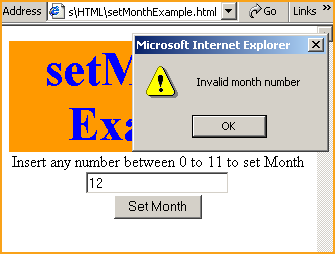
If we enter "12" and click on the button "Set Month",
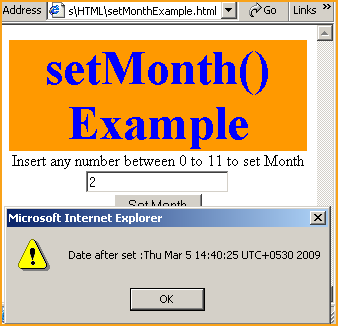
date before calling setMonth() method will be look like this
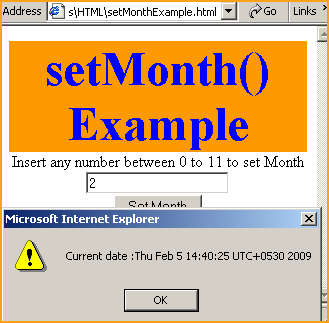
Date after calling the method setMonth() would look like as follows :