--Ads--
Immutable Image using Canvas Class


This is the immutable image example which shows how to create the immutable
image using canvas. In this example ImageCanvas class extends the Canvas
class to create the immutable image. In the constructor of ImageCanvas
class we are trying to create the image and create a exit class as below:
public ImageCanvas(ImutableImage1 midlet){

  this.midlet = midlet;

  exit = new Command("Exit", Command.EXIT, 1);

  addCommand(exit);

  setCommandListener(this);

  try{

  image = Image.createImage("/logo.png");

  }catch (java.io.IOException e){

  System.err.println(e);

  }

  }
|
And we are trying to paint the image in the paint() function. The
Application is as follows:
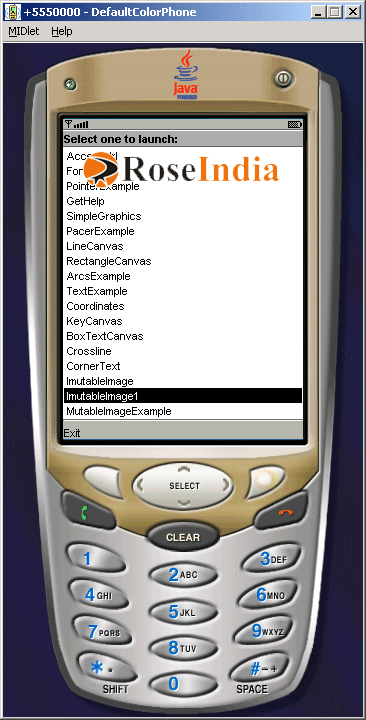
Source Code of ImutableImage1.java
import javax.microedition.midlet.*;

import javax.microedition.lcdui.*;


public class ImutableImage1 extends MIDlet{

  private Display  display;

  private ImageCanvas canvas;


  public ImutableImage1(){

  display = Display.getDisplay(this);

  canvas  = new ImageCanvas(this);

  }


  protected void startApp(){

  display.setCurrent( canvas );

  }


  protected void pauseApp(){ }


  protected void destroyApp(boolean unconditional){

  notifyDestroyed();

  }


  public void exitMIDlet(){

  destroyApp(true);

  }

}


class ImageCanvas extends Canvas implements CommandListener{

  private Command exit;

  private ImutableImage1 midlet;

  private Image image = null;


  public ImageCanvas(ImutableImage1 midlet){

  this.midlet = midlet;

  exit = new Command("Exit", Command.EXIT, 1);

  addCommand(exit);

  setCommandListener(this);

  try{

  image = Image.createImage("/logo.png");

  }catch (java.io.IOException e){

  System.err.println(e);

  }

  }


  protected void paint(Graphics g){

  if(image != null){

  g.drawImage(image, 10, 10, Graphics.LEFT | Graphics.TOP);

  }

  }


  public void commandAction(Command c, Displayable d){

  String label = c.getLabel();

  if(label.equals("Exit")){

  midlet.exitMIDlet();

  }

  }

}
|
Download Source Code
