--Ads--
Pointer Example


This type of example is basically used in touch screen technology, here we
are trying to create a pointer which location is based on the screen touch
pointer. The source code for this small example of touch screen
application.
public void pressPointer (int x, int y) {

  action = "Pointer Pressed";

  this.x = x;

  this.y = y;

  repaint ();

  }
|
is used to initialize the pointer location when pressed. The source code
public void releasePointer (int x, int y) {

  action = "Pointer Released";

  this.x = x;

  this.y = y;

  repaint ();

  }
|
is used to released the pointer from his location. And the source code
public void dragPointer (int x, int y) {

  action = "Pointer Repeated";

  this.x = x;

  this.y = y;

  repaint ();

  }
|
is used when repeating the pointer, then it relocate the location of the
pointer. The Application is as follows:
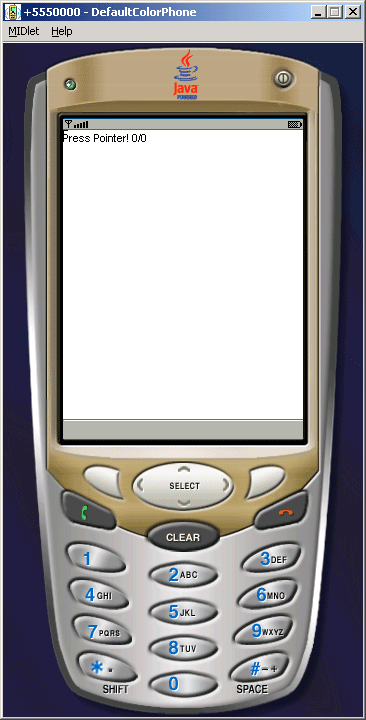
Source Code of PointerExample.java
import javax.microedition.midlet.*;

import javax.microedition.lcdui.*;


public class PointerExample extends MIDlet{

  private Display display;


  public void startApp(){

  display = Display.getDisplay(this);

  display.setCurrent (new PointerCanvas());

  }


  public void pauseApp(){}


  public void destroyApp (boolean forced){}

}


class PointerCanvas extends Canvas {

  String action = "Press Pointer!";

  int x;

  int y;


  public void pressPointer (int x, int y) {

  action = "Pointer Pressed";

  this.x = x;

  this.y = y;

  repaint ();

  }


  public void releasePointer (int x, int y) {

  action = "Pointer Released";

  this.x = x;

  this.y = y;

  repaint ();

  }


  public void dragPointer (int x, int y) {

  action = "Pointer Repeated";

  this.x = x;

  this.y = y;

  repaint ();

  }


  public void paint (Graphics g) {

  g.setGrayScale (255);

  g.fillRect (0, 0, getWidth(), getHeight());

  g.setGrayScale (0);

  g.drawString (action + " " + x + "/" + y, 0, 0,

  Graphics.TOP|Graphics.LEFT);

  g.drawLine (x-4, y, x+4, y);

  g.drawLine (x, y-4, x, y+4);

  }

}
|
Download Source Code