--Ads--
J2ME Button MIDlet


This example illustrates how to create command button in your form. Command
class build to bind only the semantic information of the command it means
command is not the actual action its contains only information about command.
Command action is defined in CommandListener class with associated screen
or form. Command contains three methods:
the label contains label of the commands, the type contains types of the
command and the priority contains priority of the commands.
List of the Command Field:
- BACK
- CANCEL
- EXIT
- HELP
- ITEM
- OK
- SCREEN
- STOP
For more, see the following example:
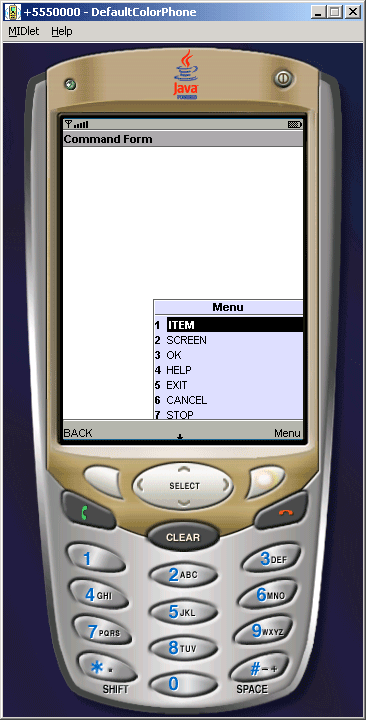
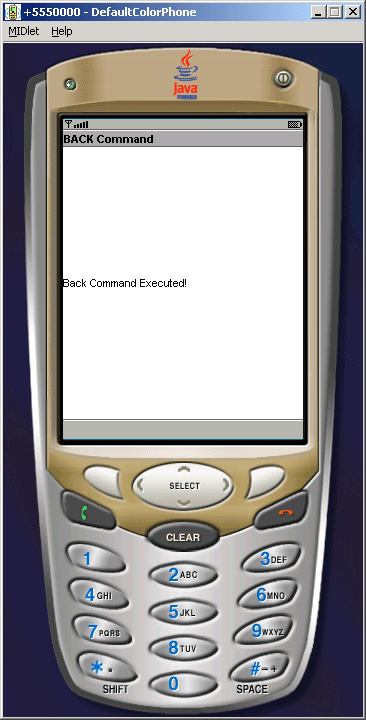
If user select the 'BACK' command then the commandAction() function
will be called and check whether label is equal to 'BACK' then backCom()
function will be called and display the form with alert object ('BACK
Command') screen displays as below:
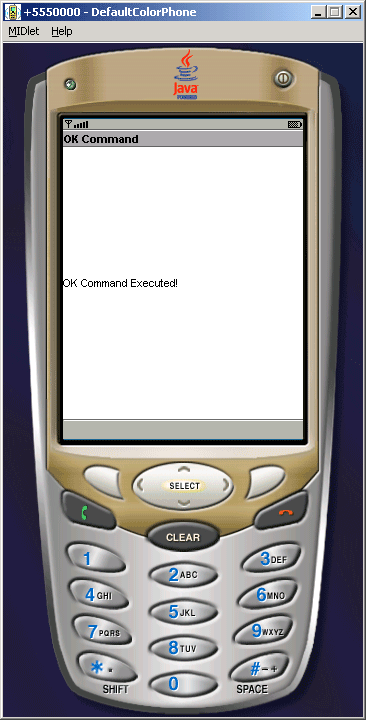
or when select the OK command the 'OK Command' will be displayed:
Source code of CommandExample.java
import javax.microedition.lcdui.*;

import javax.microedition.midlet.*;


public class CommandExample extends MIDlet implements CommandListener{

  private Form form;

  private Display display;

  private Command ok, back, cancel, exit, help, item, screen, stop;


  public CommandExample(){

  form = new Form("Command Form");

  screen = new Command("SCREEN", Command.SCREEN, 1);

  back = new Command("BACK", Command.BACK, 2);

  cancel = new Command("CANCEL", Command.CANCEL, 3);

  ok = new Command("OK", Command.OK, 4);

  help = new Command("HELP", Command.HELP, 5);

  stop = new Command("STOP", Command.STOP, 6);

  exit = new Command("EXIT", Command.EXIT, 7);

  item = new Command("ITEM", Command.ITEM, 8);

  }


  public void startApp(){

  display = Display.getDisplay(this);

  form.addCommand(screen);

  form.addCommand(back);

  form.addCommand(cancel);

  form.addCommand(ok);

  form.addCommand(help);

  form.addCommand(stop);

  form.addCommand(exit);

  form.addCommand(item);

  form.setCommandListener(this);

  display.setCurrent(form);

  }


  public void pauseApp(){}


  public void destroyApp(boolean destroy){

  notifyDestroyed();

  }


  public void backCom(){

  Alert back = new Alert("BACK Command",

  "Back Command Executed!", null, AlertType.INFO);
  back.setTimeout(5000);

  display.setCurrent(back, form);

  }

  public void okCom(){

  Alert ok = new Alert("OK Command",

  "OK Command Executed!", null, AlertType.INFO);
  ok.setTimeout(5000);

  display.setCurrent(ok, form);

  }

  public void cancelCom(){

  Alert cancel = new Alert("CANCEL Command",

  "Cancel Command Executed!", null, AlertType.INFO);
  cancel.setTimeout(5000);

  display.setCurrent(cancel, form);

  }

  public void exitCom(){

  Alert exit = new Alert("EXIT Command",

  "Exit Command Executed!", null, AlertType.INFO);
  exit.setTimeout(5000);

  display.setCurrent(exit, form);

  }


  public void commandAction(Command c, Displayable d) {

  String label = c.getLabel();

  if(label.equals("BACK")){

  backCom();

  } else if(label.equals("OK")){

  okCom();

  } else if(label.equals("CANCEL")){

  cancelCom();

  } else if(label.equals("EXIT")){

  exitCom();

  }

  }


}
|
Download Source Code