
Image Item Using Canvas Example


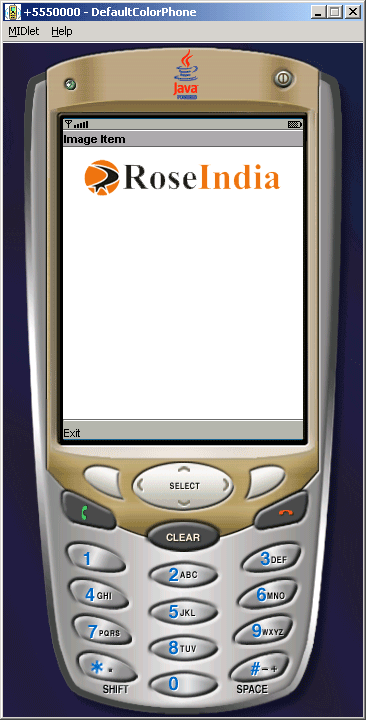
This example is will show you how to create the image at the top center of the screen. The following are the methods used in this class:
- getAltText()
- getImage()
- getLayout()
- setAltText(String text)
- setImage(Image img)
- setLayout(int layout)
Following fields have been used in this class:
LAYOUT_CENTER:- Image should be horizontally centered.
LAYOUT_DEFAULT:- Use the default formatting of the "container"
of the image.
LAYOUT_LEFT:- Image should be close to left-edge of the drawing area.
LAYOUT_NEWLINE_AFTER:- A new line should be started after the image is
drawn.
LAYOUT_NEWLINE_BEFORE:- A new line should be started before the image is
drawn.
LAYOUT_RIGHT:- Image should be close to right-edge of the drawing area.
Application is as follows:
Source Code of ImageItemExample.java
import java.io.IOException;
import javax.microedition.midlet.*;
import javax.microedition.lcdui.*;

public class ImageItemExample extends MIDlet implements CommandListener{
  private Display display;
  private Command exit;
  private Form form;
  private ImageItem logo;

  public ImageItemExample(){
  form = new Form("Image Item");
  exit = new Command("Exit", Command.EXIT, 0);
  try{
  logo = new ImageItem(null, Image.createImage("/logo.png"),
   ImageItem.LAYOUT_CENTER | ImageItem.LAYOUT_NEWLINE_BEFORE |
  ImageItem.LAYOUT_NEWLINE_AFTER, "Roseindia");
  form.append(logo);
  }catch(IOException e){
  form.append(new StringItem(null, "Roseindia: Image not available: "+ e));
  }
  }

  public void startApp(){
  display = Display.getDisplay(this);
  form.addCommand(exit);
  form.setCommandListener(this);
  display.setCurrent(form);
  }

  public void pauseApp(){}

  public void destroyApp(boolean unconditional){
  notifyDestroyed();
  }

  public void commandAction(Command c, Displayable d){
  String label = c.getLabel();
  if(label.equals("Exit")){
  destroyApp(true);
  }
  }
}