--Ads--
Appending Image into the J2ME Form


After adding item and string, now we are going to add image into the J2ME
Form. The syntax of adding image is given below..
public int append(Image img)
This will add a image as a item into the form.
Output of the application will be as given below..
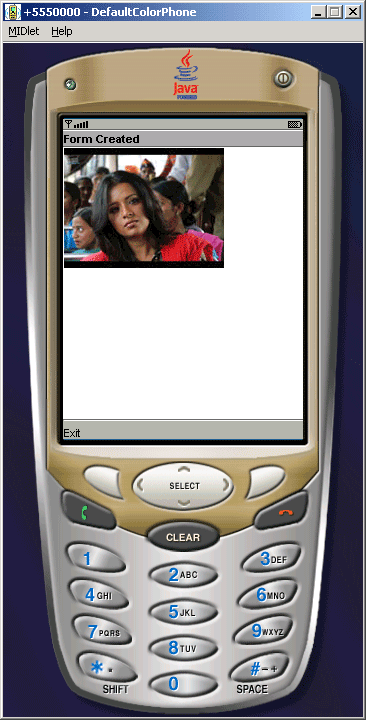
Source Code of AppendImage.java
import javax.microedition.lcdui.*;

import javax.microedition.midlet.*;


public class AppendImage extends MIDlet{

  private Display display;

  private FormClass form;

  private MIDlet midlet;


  protected void startApp(){

  form = new FormClass("Form Created", this);

  display = Display.getDisplay(this);

  display.setCurrent(form);

  }


  protected void pauseApp(){}


  protected void destroyApp(boolean unconditional){}


  class FormClass extends Form implements CommandListener{

  private Command exit;

  private Image image;


  public FormClass(String title, MIDlet items){

  super(title);

  midlet = items;

  try{

  image = Image.createImage("/chal_chala_chal_reemasen_thumb28.png");

  }catch(Exception e){}


  exit = new Command("Exit", Command.BACK, 1);

  append(image);

  this.addCommand(this.exit);

  this.setCommandListener(this);

  }


  public void commandAction(Command c, Displayable d){

  String label = c.getLabel();

  if(label.equals("Exit")){

  midlet.notifyDestroyed();

  }

  }

  }

}
|
Download Source Code