
Install Dojo


In this section we will learn how to download and install Dojo in your web application. You can easily add Dojo support into your existing application.
This section covers:
- Download and install for new development
- Download and install Dojo into existing application
Downloading Dojo
You can download the latest version of Dojo from its official site http://dojotoolkit.org/. The latest version of Dojo was Dojo Toolkit 1.1.1 at the time of wiring of the tutorial.
Download the Dojo toolkit directly from http://dojotoolkit.org/downloads.
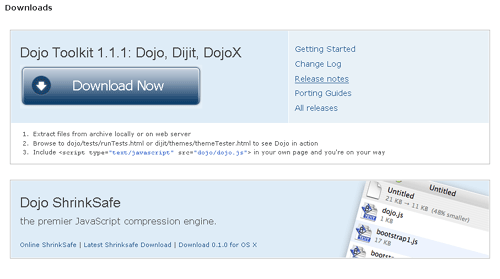
In our case the downloaded file was dojo-release-1.1.1.tar.gz.
Installing Dojo
First choose the directory in your computer where you want to install the Dojo for this tutorial. Let's assume that the directory is c:\mydojo. Now move the downloaded file into the "c:\mydojo" directory and unzip it using WinZip tool or winrar tool. You will get a new directory called "dojo-release-1.1.1". Here is the screen shot from my computer:

Now you ready to start the development. In next section I will show you how to develop simple "Hello World" Dojo application.
Installing Dojo into existing application
Installing Dojo into existing application is also a very easy task. You have to just copy the directory "dojo-release-1.1.1" into your existing project. You can rename the directory "dojo-release-1.1.1" to dojo for easy programming.
Now get ready to develop "Hello World" application in next section.