
Dojo Editor


In this section, you will learn about dojo editor.
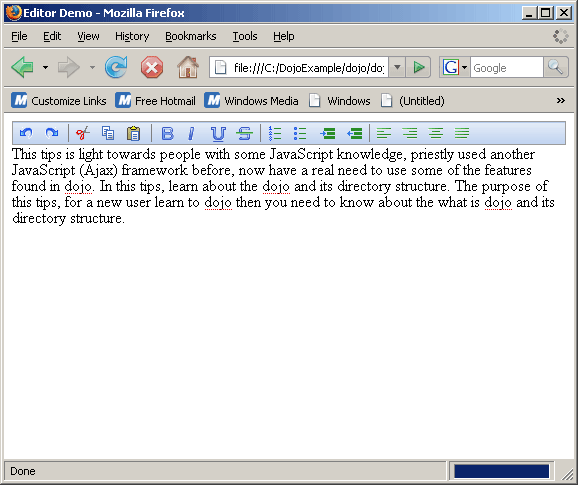
Dojo Editor: This is a editor that provides the facility to formatting your text. You enter your text in the editor, this editor provides you to edit those text like: bold, italic and underline. If you edit the text then you undo and redo your text. You can set the the alignment like: left, right and center. You can also justify your entered text in the editor.
Try Online: Editor
Here is the code of Program:
<html>
<head>

<title>Editor Demo</title>

 <style type="text/css">
  @import "../dijit/themes/soria/soria.css";
  @import "/resources/dojo.css";
  </style>

  <script type="text/javascript" src="dojo.xd.js" djConfig="parseOnLoad: true"></script>

  <script type="text/javascript">
 dojo.require("dojo.parser");
 dojo.require("dijit.Editor");
 </script>

</head>
<body class="soria">

  <textarea name="field" dojoType="dijit.Editor">
  This tips is light towards people with some JavaScript knowledge, priestly used
 another JavaScript (Ajax) framework before, now have a real need to use some of the
features found in dojo. In this tips, learn about the dojo and its directory structure.
The purpose of this tips, for a new user learn to dojo then you need to know about the
what is dojo and its directory structure.
  </textarea>

</body>
</html>
Output:
Try Online: 
