
Dojo Google Blog Search


In this section, you will learn how to implement the google blog search. That means user enter your text that have to be searched. This program search all content related to blog in the site. If you click on the filtered data then you go the specific blog site. And do your word.
Try Online: Google Blog Search
Here is the code of program:
<html>
<head>
<title>Dojo Google Blog Search Store Example</title>

  <style type="text/css">
  @import "../dijit/themes/soria/soria.css";
  @import "/resources/dojo.css";
  </style>

  <script type="text/javascript" src="dojo.js" djConfig="parseOnLoad: true"></script>

  <script type="text/javascript">
  dojo.require("dojox.data.GoogleSearchStore");
  dojo.require("dijit.form.Button");

  function doSearch() {
  var queryString = dojo.byId("searchText").value;

  var store = new dojox.data.GoogleBlogSearchStore();
  var list = dojo.byId("searchOutput");
  dojo.byId("content").innerHTML = "";

  //Clean up previous searches
  while(list.firstChild){
  list.removeChild(list.firstChild);
  }

  store.fetch({
  query:{text: queryString},
  count: 8,
  onComplete: function(items, request) {
  //Print out the search results as an unordered list
  var delay = 0;
  dojo.forEach(items, function(item){
  var li = document.createElement("li");
  li.innerHTML =
  "<a href=\"" +
  store.getValue(item, "postUrl")  +
  "\">" +
  store.getValue(item, "titleNoFormatting") +
  "</a>";
  dojo.style(li, "opacity", "0");
  list.appendChild(li);
  dojo.connect(li.firstChild,"onclick", function(evt){
  var frame = dojo.byId("content");
  dojo.style(frame, "display", "block");
  frame.src = store.getValue(item, "postUrl");
  dojo.stopEvent(evt);
  return false;
  })

  //Fade in the results.
  delay += 500;
  dojo.fadeIn({node:li}).play(delay);
  });
  }
  });
  }
  </script>
</head>
<body class="soria">
  <b>Please Enter your text for searching: </b>
  <input type="text" size="20" value="" id="searchText"/>
  <div dojoType="dijit.form.Button" onclick="doSearch();">
  <b>Search</b>
  </div>

  <div>
  <ul id="searchOutput" class="link-list"></ul>
  </div>
  <iframe id="content"
  style="display:solid;width:100%;height:400px;"></iframe>
 </body>
 </html>
Output:
When you run this program then you get:
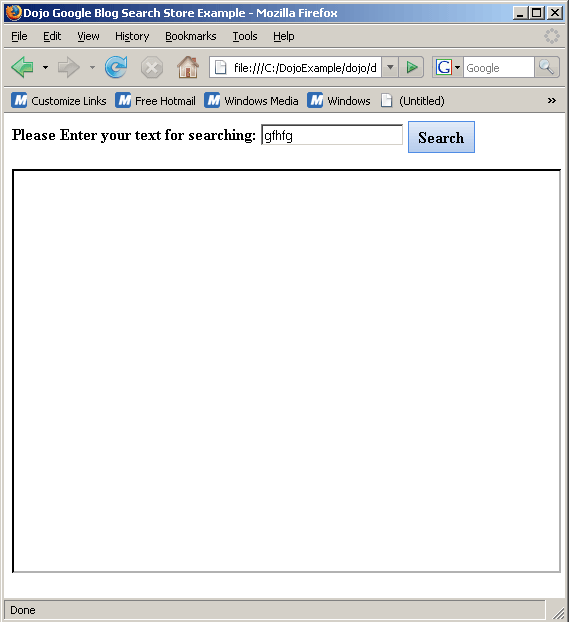
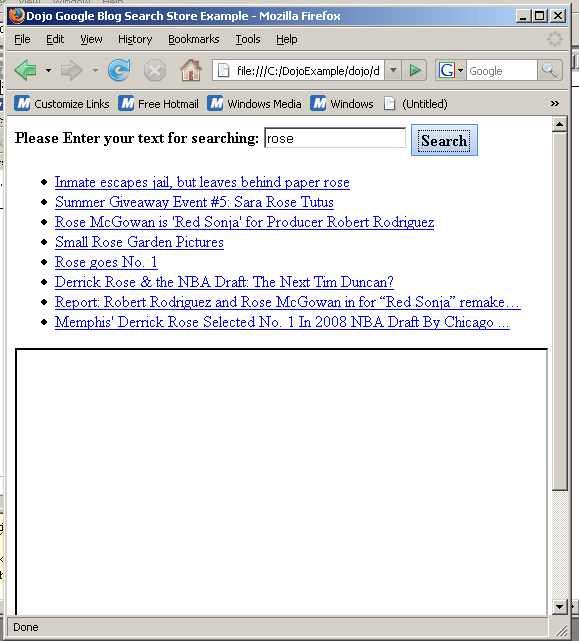
Enter your search text then you get the related text as follow:
Try Online: 