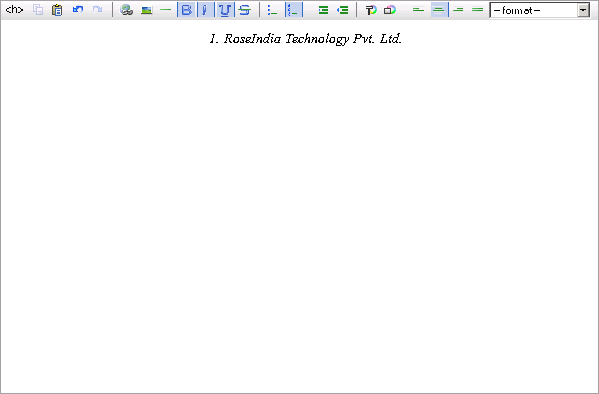
Rich Editor Example


In this section, you will learn how to create pagination in struts 2. For creating pagination in your application follows the certain steps:
Step 1: Create index.jsp page
Here is the code to be added in the index.jsp:
| <!DOCTYPE HTML PUBLIC "-//W3C//DTD HTML 4.0 Transitional//EN"> <html> <head> <title>RoseIndia.Net Struts 2 Tutorial</title> </head> <body> <div align="center"> <center> <table border="0" cellpadding="0" cellspacing="0" width="400"> <tr> <td><font size="5"><b>RoseIndia.net Struts 2 Tutorials</b><br> </font></td> </tr> <tr> <td><font ><b>Select the following links to test the examples</b></font></td> </tr> <tr> <td> <ul> <li><a href="roseindia/pagination.action">Pagination Example</a></li> </ul> </td> </tr> <tr> <td><font > <br> <br> <br> Visit <a href="http://www.roseindia.net">http://www.roseindia.net</a> for latest tutorials</font></td> </tr> </table> </center> </div> <p align="center"> </p> </body> </html> |
Step 2: Create an action mapping in the struts.xml file.
Here is the code to be added in the struts.xml:
| <?xml version="1.0" encoding="UTF-8" ?> <!DOCTYPE struts PUBLIC "-//Apache Software Foundation//DTD Struts Configuration 2.0//EN" "http://struts.apache.org/dtds/struts-2.0.dtd"> <struts> <!-- Rose India Struts 2 Tutorials --> <constant name="struts.enable.DynamicMethodInvocation" value="false" /> <constant name="struts.devMode" value="true" /> <package name="roseindia" namespace="/roseindia" extends="struts-default"> <action name="pagination"> <result>/pages/chatQuestion/pagination.jsp</result> </action> </package> <!-- Add packages here --> </struts> |
Step 3: Create a JSP page that contains pagination code:
Here is the code to be added in the pagination.jsp:
| <%@ taglib prefix="s" uri="/struts-tags" %> <html> <head> <title>Pagination Example</title> <s:head theme="ajax" /> </head> <body> <s:form> <s:textarea name="text" label="Paste your text here" theme="ajax" cssStyle="background-color: #FCFCFC; border: 1px solid #A0A0A0; min-height:500px; max-height:inherit; "/> </s:form> </body> </html> |
Output: