JavaScript method anchor()


This section illustrates you the use of JavaScript anchor() method. The anchor() method creates an HTML anchor with a NAME attribute on the specified text.
Its syntax is:
| [string_object].anchor("anchor_name") |
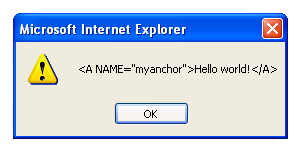
The anchor_name argument passed into the method anchor() is placed in the "NAME" attribute of the html anchor. In the given example, we have created a function display() and called the anchor() method on a String object. We have created a button which calls the function display() from the script and creates an html anchor by adding an anchor to the string specified .
Here is the code:
| <html> <script> function display(){ var txt="Hello world!"; alert((txt.anchor("myanchor")); } </script> <h2>Use of anchor() method</h2> <button onclick="display();"> Use of Anchor method </button> </html> |
Output will be displayed as:
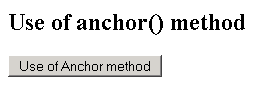
On clicking the button, you will see that the HTML anchor is created. This is shown in the alert box.