JavaScript removeAttribute method


JavaScript method removeAttribute() is used to remove attribute of an element. Most of the times it is used with the document.getElementById() method.
Syntax:
| elementObject.removeAttribute("attributeName", flag); |
Where "attributeName" is the name of the attribute which is to be removed and flag is the value which customizes the functionality of this removeAttribute() method. The flag value may be 0, 1 or 2 and it is optional. Following are the meanings of their flag's value.
| Flag Value | Description |
| 0 | It is the default value and performs the non case sensitive search |
| 1 | It performs the case sensitive property search |
| 2 | It returns the property value as it is set in the script or html code |
Description of code :
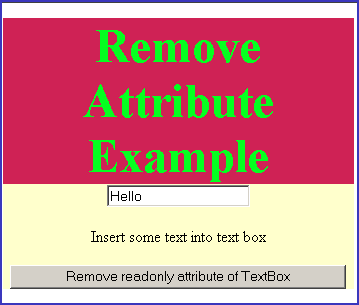
To illustrate removeAttribute() method we have created a HTML page into which we have created a text box and a button. We have first set the read only property of text box to be true. When user clicks on the button "Remove readonly attribute of TextBox" it calls the function defined in the JavaScript named removeAlignment().
  function removeAlignment(){
    var read = document.getElementById("txt")
        .removeAttribute("readonly",0);
    alert("textbox readonly attribute removed");
  }
|
Above lines of code describes the functionality of function removeAlignment(). It first takes the element object by using method document.getElementById(), thereafter we can apply removeAttribute() method. Here is the full example code as follows :
<html>
<body>
<script language="JavaScript">
  function removeAlignment(){
    var read=document.getElementById("txt")
        .removeAttribute("readonly",0);
	alert("textbox readonly attribute removed");
  }
</script>
<div style="background: #cf2255; width:'100%';"
   align="center">
  <font color="#05ff20" size="12pt">
  <b>Remove Attribute Example</b>
  </font>
</div>
<center>
 <div id="divId" align="center" style="background: #ffffcc;
          width:'100%';">
 <input id="txt" type="text" readonly="true" />
    <p>Insert some text into text box</p>
      <input type="button" value="Remove readonly attribute
    of TextBox" onclick="removeAlignment();">
  </div>
</center>
</body>
</html>
|
Output :
When you try to input some text into the text box, it doesn't allow you to input since it has read only attribute set to be true.
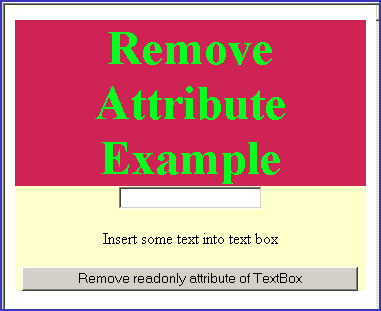
Click on the button "Remove readonly attribute of TextBox" to remove attribute "readonly" for the input text box.
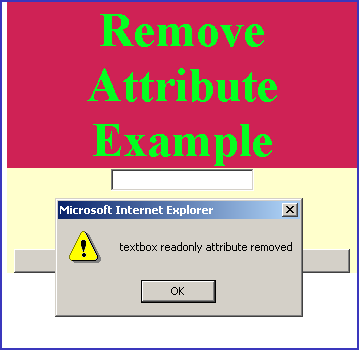
Once the attribute "readonly" is removed we can insert text into text box.