JavaScript remove method


As JavaScript's add() method is used to add more option elements to the <select> tag. Similarly we can also remove option elements of the <select> tag by using the method remove() of the JavaScript.
Syntax :
| select_object.remove(selected_index); |
Where select_object holds the select tag element's reference.
Description of code :
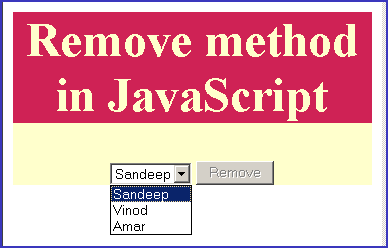
To illustrate the use of remove() method we have created a simple HTML page into which we have created a dropdown list by using <select> tag and by default it consists of four items.
<select id="myselect"> <option value="1">Vineet</option> <option value="2">Sandeep</option> <option value="3">Vinod</option> <option value="4">Amar</option> </select> |
We have a button "Remove", when clicked calls a JavaScript method "removeItem()" which is defined between the <script> tags.
 function removeItem(){
	var element =document.getElementById("myselect");
	element.remove(element.selectedIndex);
    }
|
The function removeItem() takes the element object and then removes the element.selectedIndex item from the select tag option list. Here is the full example code for removeExampl.html as follows :
<html>
<head>
<script type="text/javascript">
function removeItem(){
var element =document.getElementById("myselect");
element.remove(element.selectedIndex);
}
</script>
</head>
<body>
<p align="center"> </p>
<div style="background: #cf2255; width:'100%';"
align="center">
<font color="#ffffcc" size="12pt">
<b>Remove method in JavaScript</b>
</font>
</div>
<center>
<div style="background: #ffffcc; width:'100%';"
align="center">
<p align="left"> </p>
<select id="myselect">
<option value="1">Vineet</option>
<option value="2">Sandeep</option>
<option value="3">Vinod</option>
<option value="4">Amar</option>
</select>
<input type="button" onClick="removeItem();
this.disabled=true;" value="Remove">
</div>
</center>
</body>
</html>
|
Output :

Click on the button "Remove" and it will remove the selected option from the <select> tag option list and if none is selected then by default first item will be removed. In our this example we don't have select any item therefore it removes first option which is "Vineet".
As soon as it removes item in the <select> list the button is disabled, this means remove operation have been performed successfully.