
JavaScript setYear() method


We can use setYear() method of JavaScript to set year's value of a date object. Syntax for using setYear() method is as follows:
Syntax :
| dateObject.setYear( yearValue); |
Where dateObject is the object of date which is required to call setYear() method and the value passed to the setYear() method can be any two digit or four digit number. If yearValue is a two digit number ( i.e 45) then this method will automatically assume this value as 1945.
Description with example:
To describe the use of setYear() method we have created a simple html page into which we have created an input box. This text box takes the input as a two or four digit number which represent the year to be set.
Here we also have created a button "Set Year" which calls the function setYearFunction() on click event and it is defined in the <script></script> tags of JavaScript.
| function setYearFunction() { var dt= new Date(); var year = document.getElementById('yearValue').value; alert("Current date :" +dt); dt.setYear(year); alert("Date after set :"+dt); return true; } |
In above lines of code, first line of the function creates a date object variable which consists of current date. In the next line we have taken the year value into a variable "year" which holds the yearValue taken as input to the input box by the user. Now we can set the year of the date object by calling method setYear() over date object "dt".
Here is the full example code of setYearExample.html as follows :
<html>
<head>
 <script language="JavaScript">
  function setYearFunction()
  {
    var dt= new Date();
    var year = document.getElementById('yearValue').value;
    alert("Current date :" +dt);
    dt.setYear(year);
    alert("Date after set :"+dt);
	return true;
   }
 </script>
</head>
<body>
 <div style="background: #ff9900; width:'100%';"
     align="center">
  <font color="#0000ff" size="12pt">
	<b>setYear() Example</b>
  </font>
 </div>
<center>
 Insert any year(4-digit) to set year
 <input type="text" id="yearValue" /><br>
 <input type="button" value="Set Year"
        onClick="return setYearFunction();"/>
</center>
</body>
</html>
|
Output :
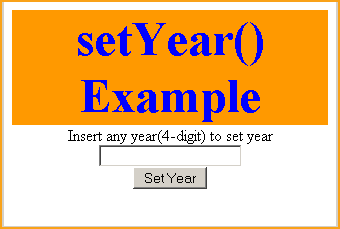
Output of the HTML page would look like as given above.
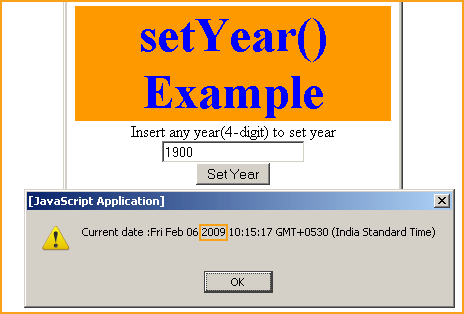
Insert any year in four digit. Suppose, as in our example we have inserted value 1900 and then click on button "Set Year". It first shows the current date before calling setYear() method in an alert message box.
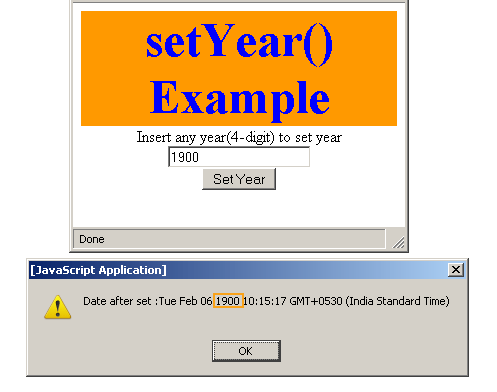
After alert message it will set years value to 1900 from 2009 which can be seen in out put as above.