
JavaScript method charCodeAt()


This section illustrates you the use of JavaScript method charCodeAt(). The charCodeAt() method returns the Unicode of the character at a specified position.
Its syntax is:
| string.charCodeAt(index); |
An Index should be greater than 0 and less than the length of the string. If you will not specified any index value, it will takes the default value 0.Unicode code points range from 0 to 1,114,111. The charCodeAt() will always return a value that is less than 65,536.
Here is the code:
| <html> <script> function charcterCode(){ var st=new String("Welcome to this page"); document.write("The Unicode of the character at position 1 is: "+st.charCodeAt(1)); document.write("<br>"); document.write("The Unicode of the character at position 2 is: "+st.charCodeAt(2)); } </script> <h2>Use of method charCodeAt()</h2> <button onclick="charcterCode();">Character Code</button> </body> </html> |
Output will be displayed as:
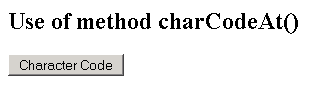
On clicking the button you will get the Unicode of the required character:


