
JavaScript fontColor method


We can also give different colors to the fonts by using the method fontColor() over any string instead of using the <font></font> tags. The fontcolor() method in JavaScript can be used to color strings in the specified format.
Syntax:
| String_Object.fontColor( color); |
Here String_Object is some string object, of which we have to change the color and "color" is the specified color.
Description of code:
In our example html code we have created a drop down list which consists of three colors value "red", "green" and "blue". As soon as we will select the color from the drop down list it will be calling a method callFontColor() as defined in our JavaScript. And this will print the string "RoseIndia" in that selected font color. Here is the full example code of fontColorExample.html as follows:
fontColorExample.html
| <html> <body> <script> function callFontColor(){ var colour; if(document.getElementById("color").options[1].selected){ colour = "red"; }else if(document.getElementById("color").options[2].selected){ colour = "blue"; }else if(document.getElementById("color").options[3].selected){ colour = "green"; }else { colour = "None"; } document.getElementById('put').innerHTML = ("RoseIndia").fontcolor(colour); } </script> <div style="background: #cf2255; width:'100%';" align="center"> <font color="#ffffcc" size="12pt"> <b>Font Color Example</b> </font> </div> <center> <div style="background: #ffffcc; width:'100%';" align="center"> Select color : <select id="color" onchange="callFontColor();"> <option value="-1">Select</option> <option value="red">red</option> <option value="red">blue</option> <option value="red">green</option> </select> <p> </p> </div> <font size="12pt"><div id='put'></div></font> </center> </body> </html> |
Output of example :
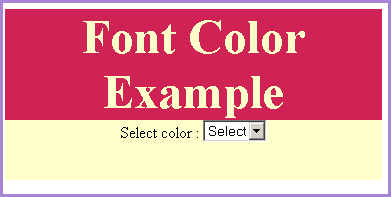
Please select one color from the drop down list to have use of fontColor() method on it.

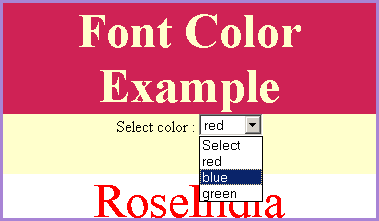
We have selected one color "red" from the menu.

It will show the text "RoseIndia" in red color font.
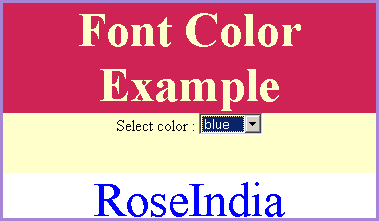
As soon as we will select another color from the list the text "RoseIndia" will be shown in that font color.
You can download the full source code of this html code from the following link.