In this Tutorial we want to describe you a code that helps you in understanding JavaScript Array unshift.
JavaScript Array unshift


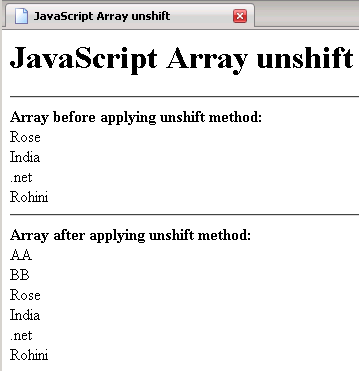
In this Tutorial we want to describe you a code that helps you in understanding JavaScript Array unshift.The code declare an array variable instantiate array object, this object hold the element. The for loop run the script till variable i is less than array length. The document. write print the element in an array before applying unshift method.
array.unshift ( AA,BB) - This method add elements to the beginning of an array and returns you the new length.
Similarly this method add element AA,BB to the beginning of an array object elements.
Again, the for loop run the script till the variable i is less than the array length. The document. write return you an array after applying unshift method.
JavaScriptArrayUnshift.html
<html>
|
Output of the program