In this Tutorial we want to describe you a code that help you in understanding JavaScript array of objects.

JavaScript array of objects


In this Tutorial we want to describe you a code that help you in understanding JavaScript array of objects. For this we are using JavaScript language. Inside the Script we declare a variable description that is used to instantiate an array object and is initialized with various list of element and image var is used to instantiate array object that hold the element size to 7.The var counter is initialized to 0.The function initialize ( ) include the variable images[] is used to create an image with the specified size [50] in the code and images[].src is used to take the image from the source file. The function update( ) include counter variable, if the counter variable is incremented, then this variable is evaluated in conditional operator. The if operator check the counter, and print the image on the screen.
Javascript_array_of_objects.html
|
<html> <head> <title>javascript array of images</title> <script> var description = new Array("blank", "2", "3", "4","5","6","1"); var images = new Array(7); var counter = 0; function initialize(){ images[0] = new Image(50, 50); images[0].src = "blank.gif"; images[1] = new Image(50, 50); images[1].src = "2.gif"; images[2] = new Image(50, 50); images[2].src = "3.gif"; images[3] = new Image(50, 50); images[3].src = "4.gif"; images[4] = new Image(50, 50); images[4].src = "5.gif"; images[5] = new Image(50, 50); images[5].src = "6.gif"; images[6] = new Image(50, 50); images[6].src = "1.gif"; } function upDate(){ counter++; if (counter >6){ counter = 0; } document.Display.src = images[counter].src; document.form.description.value = description[counter]; } </script> </head> <body onLoad = "initialize()"> <center> <h1>javascript array of images</h1> <form name = "form"> <img src = "blank.gif" name = "Display" height = 100 width = 100> <br><br> <input type = "text" name = "description" value = "blank"> <br><br> <input type = "button" value = "Next" onClick = "upDate()"> </form> </center> </body> </html> |
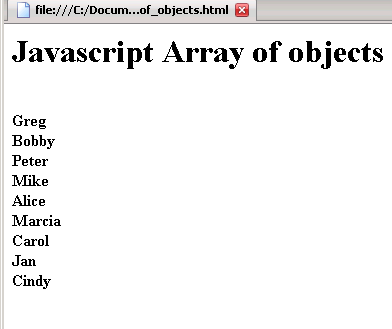
Output of the program
 |