In this example code of JavaScript array push() method we have described that how this JavaScript array's push() method can be used into our programming. Here in this example we have declared a dynamic array named as "dynamic_array".
-method-950x650.webp)
JavaScript array push() method


In this example code of JavaScript array push() method we have described that how this JavaScript array's push() method can be used into our programming. Here in this example we have declared a dynamic array named as "dynamic_array". In java script we have declared a function add_item() which adds element into the dynamic_array.
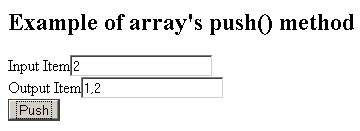
In this example we have two input boxes where we will be adding and displaying the array elements. For adding the elements into the JavaScript array we have created a function which will be invoked when when user clicks onto the "Push" method .
Here is the full example code of JavaScript array push() method example:
| <html> <head> <title>JavaScript array push() method example</title> <script language="JavaScript"> var dynamic_array = new Array(); function add_item(){ var item = document.frm.inputbox.value; dynamic_array.push(item); document.frm.outputbox.value = dynamic_array; } </script> </head> <body> <h2>Example of array's push() method</h2> <form name="frm"> Input Item<input type="text" name="inputbox" value=""/> <br> Output Item<input type="text" name="outputbox" value=""/> <br> <input type="button" onClick="add_item();" value="Push"/> </body> </html> |
Output:
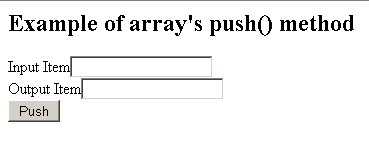
The item which is to be inserted or to be pushed are filled into the Input Item and click on the "Push" button. It will add item into the array.
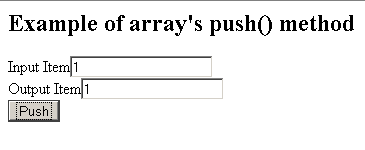
Items which are further pushed would be added to the array from the backside.