In this section, you will study how to append value to the array in javascript.

JavaScript Array Append


In this section, you will study how to append value to the array in javascript.
To append values to an array using JavaScript, we have create a
JavaScript array object "array" which contains two elements "Seema"
and "Shradha". In order to
append these two elements to the array, we have used two methods:
1) unshift() - This method add element in the beginning of the array.
2) push() - This method add element in the end of the array.
Here is the code:
| <html> <head> <title>Append Array Example</title> <h2>Example of Appending Array</h2> <script type="text/javascript" language="javascript"> var array = new Array(2); array[0] = "Seema"; array[1] = "Shradha"; document.write("<b>Array Before append is: </b> <br> ") for (var i = 0; i < array.length; i++){ document.write(array[i] + "<BR>"); } array.push("Shivangi"); array.unshift("Siya"); document.write("<b>Array After append is:</b> <br>"); for (var i = 0; i < array.length; i++) { document.write(array[i] + "<BR>"); } </script> </head> <body bgcolor="violet"> </body> </html> |
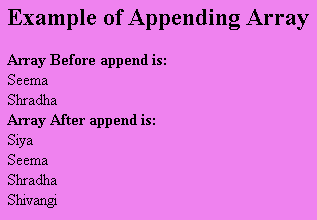
Output will be displayed as: