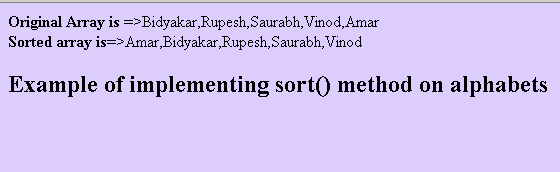
We can sort the JavaScript array elements by using the sort() method of Array class in JavaScript.

JavaScript array sort alphabetically


We can sort the JavaScript array elements by using the sort() method of Array class in JavaScript. Syntax of the sort method is as given below:
| arrayObject.sort(SortFunctionName) |
"SortFunctionName" is optional in the sort method but when it will be passed then it should be a function. Here in our example of sorting the array elements we have used simply the sort() method since by default it sorts array elements alphabetically. After using the sort() method array will change. In this example we have used an array of five elements which all are strings. Here you can see that how the sort() method can be applied on the array to sort their elements alphabetically.
| <html> <head> <title> JavaScript array sort() alphabetically </title> <script type="text/javascript"> var arr = new Array(5); arr[0]="Bidyakar"; arr[1]="Rupesh"; arr[2]="Saurabh"; arr[3]="Vinod"; arr[4]="Amar"; document.write("<b>Original Array is </b>=>"+arr+"<br>"); document.write("<b>Sorted array is</b>=>"+arr.sort()+"<br> "); </script> </head> <body bgcolor="#ddcdfd"> <h2> Example of implementing sort() method on alphabets </h2> </body> </html> |
Output: