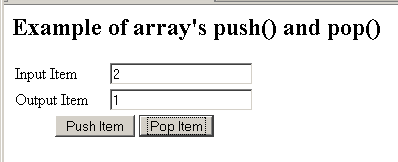
In this example we have created a simple html form which is taking input item value from the form and is adding as well as removing item from the array object.
JavaScript array push and pop


In this example we have created a simple html form which is taking input item value from the form and is adding as well as removing item from the array object.
In our JavaScript we have declared a dynamic array onto which we are going to perform the push and pop operations. We have created two buttons in this html form for pushing elements into the array and popping elements from the array.
| function add_item(){ var item = document.frm.inputbox.value; dynamic_array.push(item); document.frm.outputbox.value = dynamic_array; } |
add_item() adds items into the array by the code dynamic_array.push(item);
| function remove_item(){ dynamic_array.pop(); document.frm.outputbox.value = dynamic_array; } |
remove_item() removes one element from the array object by using the method pop().
Following is the full example source code of push() and pop() method is as follows:
| <html> <head> <title>JavaScript array push() and pop() example</title> <script language="JavaScript"> var dynamic_array = new Array(); function add_item(){ var item = document.frm.inputbox.value; dynamic_array.push(item); document.frm.outputbox.value = dynamic_array; } function remove_item(){ dynamic_array.pop(); document.frm.outputbox.value = dynamic_array; } </script> </head> <body> <h2>Example of array's push() and pop()</h2> <form name="frm"> <table width="245" border="0"> <tr> <td width="91">Input Item </td> <td width="144"><input type="text" name="inputbox" value=""/></td> </tr> <tr> <td>Output Item </td> <td><input type="text" name="outputbox" value=""/></td> </tr> <tr> <td colspan="2"> <div align="center"> <input type="button" onClick="add_item();" value="Push Item"/> <input name="button" type="button" onClick="remove_item();" value="Pop Item"/> </div> </td> </tr> </table> </form> </body> </html> |
Output is as follows:
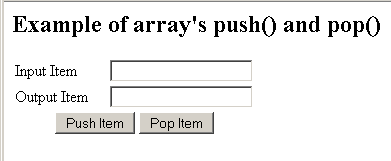
"Push Item" button pushes item into the array.

"Pop Item" pops last element from the JavaScript array.