
JavaScript Zoom in and Zoom out
|
|
This section illustrates you how to zoom in and zoom out of an image using JavaScript.
Here we are providing you an example to show the image effect. For this purpose, we have created three functions. The function zoomImage() and zoom() sets the height and width of the image and make it to show the effect Zoom In and Zoom Out. The function stopZoom() provides the functionality to stop the image effect by using the method clearInterval(). Here we have used Mouseover and Mouseout events to make the image zoom in and zoom out. As long as you put the cursor on the link Zoom In, the size of image will start increasing and if you put the cursor on link Zoom Out., the size of image will start decreasing.
Here is the code:
| <html> <h2>Zoom in and Zoom out</h2> <script> var zoomfactor=0.06; function zoomImage(){ if (parseInt(cache.style.width)>8&&parseInt(cache.style.height)>8){ cache.style.width=parseInt(cache.style.width)+parseInt(cache.style.width)*zoomfactor*prefix cache.style.height=parseInt(cache.style.height)+parseInt(cache.style.height)*zoomfactor*prefix } } function zoom(originalWidth, originalHeight, img, state){ cache=eval("document.images."+img) prefix=(state=="in")? 1 : -1 if (cache.style.width==""||state=="restore"){ cache.style.width=originalWidth+"px" cache.style.height=originalHeight+"px" if (state=="restore") return } else{ zoomImage() } beginzoom=setInterval("zoomImage()",100) } function stopZoom(){ if (window.beginzoom) clearInterval(beginzoom) } </script> <a href="" onmouseover="zoom(80,100,'image','in')" onmouseout="stopZoom()">Zoom In</a> <a href="" onmouseover="zoom(100,40,'image','out')" onmouseout="stopZoom()">Zoom Out</a> <p><img name="image" src="image.jpg"></p> </html> |
Zoom Out Effect:
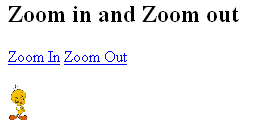
Zoom In Effect:



Tutorials
- Clear cookie example
- JavaScript getElementById innerHTML
- JavaScript getElementById Style
- Javascript Examples
- JavaScript add row dynamically to table
- New Page 1
- JavaScript Change link
- JavaScript Checkbox getElementById
- javascript clear textarea
- JavaScript Clock Timer
- JavaScript Cookies
- JavaScript Date Difference
- JavaScript duplicate string
- JavaScript Email Validation
- javascript focus input
- JavaScript get excel file data
- JavaScript getAttribute Href
- JavaScript getAttribute Style
- JavaScript getElementById div
- JavaScript getElementById Iframe
- JavaScript getElementById select
- JavaScript Hide Button
- JavaScript Hide Div
- JavaScript hide image
- JavaScript Hide Table Column
- JavaScript Hide Table Rows
- JavaScript Key Event
- JavaScript link
- JavaScript method location
- JavaScript move div
- JavaScript move file
- JavaScript move image
- JavaScript Navigate Back
- JavaScript navigate to page
- JavaScript Navigate to URL
- JavaScript indexOf substring
- JavaScript onkeypress event
- JavaScript Open file
- JavaScript Open link in new window
- JavaScript Open Modal Window