
JavaScript Open link in new window
|
|
In this section, you will learn how to open a new window on clicking the link using JavaScript.
To open a new window with a link within the web page, we have used the JavaScript method window.open(). Now in order to give specific look to the new window, we have used some attributes like scrollbars, width, height, left, top etc. When you load the following html code, you will get a link. On clicking the link, a new window will get open and allow the user to interact with it.
Here is the code:
| <html> <h2>Open link in new Window</h2> <script language="JavaScript"> function openNewWindow() { window.open('http://www.roseindia.net','new-window','directories, status, scrollbars, resizable, dependent, width=500, height=200, left=0, top=0'); } </script> <a href="javascript:openNewWindow();">Go to new window</a> </html> |
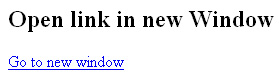
Output will be displayed as:


Tutorials
- Clear cookie example
- JavaScript getElementById innerHTML
- JavaScript getElementById Style
- Javascript Examples
- JavaScript add row dynamically to table
- New Page 1
- JavaScript Change link
- JavaScript Checkbox getElementById
- javascript clear textarea
- JavaScript Clock Timer
- JavaScript Cookies
- JavaScript Date Difference
- JavaScript duplicate string
- JavaScript Email Validation
- javascript focus input
- JavaScript get excel file data
- JavaScript getAttribute Href
- JavaScript getAttribute Style
- JavaScript getElementById div
- JavaScript getElementById Iframe
- JavaScript getElementById select
- JavaScript Hide Button
- JavaScript Hide Div
- JavaScript hide image
- JavaScript Hide Table Column
- JavaScript Hide Table Rows
- JavaScript Key Event
- JavaScript link
- JavaScript method location
- JavaScript move div
- JavaScript move file
- JavaScript move image
- JavaScript Navigate Back
- JavaScript navigate to page
- JavaScript Navigate to URL
- JavaScript indexOf substring
- JavaScript onkeypress event
- JavaScript Open file
- JavaScript Open link in new window
- JavaScript Open Modal Window