
JavaScript getElementById Style
|
|
In this part of JavaScript examples, we have created a simple example which shows the use of style attribute over any element by using the method getElementById().
In the following example, we have created three buttons which calls three different functions addStyleColor() , addStyleHeight() and addStyleWidth() and changes the style property of the specified div with the element's style attribute.
| function addStyleColor() { document.getElementById('myDiv').style.backgroundColor="#ccffdd"; } |
Above line of code defines a function into which specified div's background color is being changed with the help of style attribute.
| function addStyleHeight() { document.getElementById('myDiv').style.height="150px"; } |
Above line of code defines a function into which specified div's height is being changed with the help of style attribute.
| function addStyleWidth() { document.getElementById('myDiv').style.width="250px"; } |
Above line of code defines a function into which specified div's width is being changed with the help of style attribute. Here is the full HTML code as follows :
|
Output :
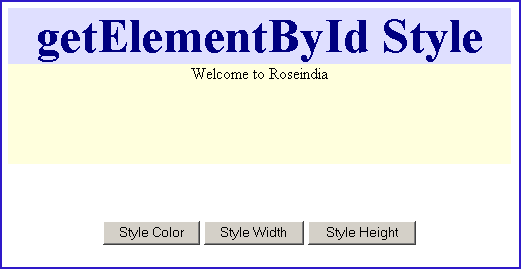
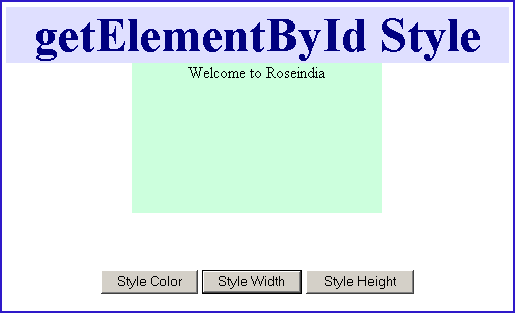
Click on the button "Style Color". It will call the method addStyleColor() and will change the background color of "myDiv".

Click on the button "Style Height". It will call the method addStyleHeight() and will change the height of "myDiv".

Click on the button "Style Width". It will call the method addStyleWidth() and will change the width of element "myDiv".


Tutorials
- Clear cookie example
- JavaScript getElementById innerHTML
- JavaScript getElementById Style
- Javascript Examples
- JavaScript add row dynamically to table
- New Page 1
- JavaScript Change link
- JavaScript Checkbox getElementById
- javascript clear textarea
- JavaScript Clock Timer
- JavaScript Cookies
- JavaScript Date Difference
- JavaScript duplicate string
- JavaScript Email Validation
- javascript focus input
- JavaScript get excel file data
- JavaScript getAttribute Href
- JavaScript getAttribute Style
- JavaScript getElementById div
- JavaScript getElementById Iframe
- JavaScript getElementById select
- JavaScript Hide Button
- JavaScript Hide Div
- JavaScript hide image
- JavaScript Hide Table Column
- JavaScript Hide Table Rows
- JavaScript Key Event
- JavaScript link
- JavaScript method location
- JavaScript move div
- JavaScript move file
- JavaScript move image
- JavaScript Navigate Back
- JavaScript navigate to page
- JavaScript Navigate to URL
- JavaScript indexOf substring
- JavaScript onkeypress event
- JavaScript Open file
- JavaScript Open link in new window
- JavaScript Open Modal Window