
javascript focus input
|
|
JavaScript can be very useful while the user fills the form containing number of fields in the web page. You can automatically transfer the focus to any other input field in the page. It can be performed using focus() method on the html element. To understand how focus can be set to any input field, we have created the example below. It has two input fields to take name and address as input from the user and a submit button. This button calls the function setfocus() which checks whether user has entered some value to the input boxes one by one. If any one is empty then it floats an alert box indicating the user to fill some value and then sets the focus to that input element.
focusinput.html
| <html> <head> <title>javascript focus input</title> <script type="text/javascript"> function setfocus() { <br> |
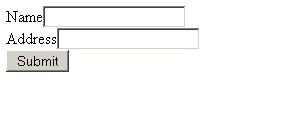
The above code displays the page as given below:
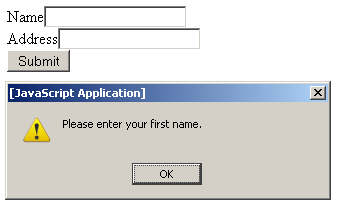
If you click Submit button without entering text into the Name field then it floats the alert box indicating you to enter some text into it.
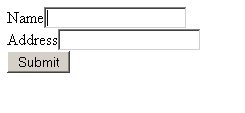
Clicking the OK button on the alert box takes the focus to the name input field as shown below.
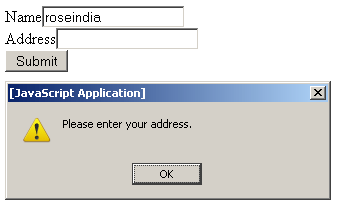
Enter some text like 'roseindia' in the name text box and click on Submit button. It shows you an alert box again informing you to enter the address. As you click on OK, focus reaches to the address input box automatically.


Tutorials
- Clear cookie example
- JavaScript getElementById innerHTML
- JavaScript getElementById Style
- Javascript Examples
- JavaScript add row dynamically to table
- New Page 1
- JavaScript Change link
- JavaScript Checkbox getElementById
- javascript clear textarea
- JavaScript Clock Timer
- JavaScript Cookies
- JavaScript Date Difference
- JavaScript duplicate string
- JavaScript Email Validation
- javascript focus input
- JavaScript get excel file data
- JavaScript getAttribute Href
- JavaScript getAttribute Style
- JavaScript getElementById div
- JavaScript getElementById Iframe
- JavaScript getElementById select
- JavaScript Hide Button
- JavaScript Hide Div
- JavaScript hide image
- JavaScript Hide Table Column
- JavaScript Hide Table Rows
- JavaScript Key Event
- JavaScript link
- JavaScript method location
- JavaScript move div
- JavaScript move file
- JavaScript move image
- JavaScript Navigate Back
- JavaScript navigate to page
- JavaScript Navigate to URL
- JavaScript indexOf substring
- JavaScript onkeypress event
- JavaScript Open file
- JavaScript Open link in new window
- JavaScript Open Modal Window