
JavaScript toString method
|
|
JavaScript's toString() method is used to convert any object into the string object. If we want to convert an object from one format into String format then it is very useful.
Syntax :
| object.toString(); |
Where object can be any object and this method will convert that object value to a string value. Let us understand use of toString() method with a very simple example. Here we have explained this by converting a Date object into the String object.
Description of code :
To illustrate toString() method , in this simple HTML page we have created a button and as soon as button is clicked convertToString() method is called which is defined in the JavaScript <script></script> tags.
| alert(new Date().toString()); |
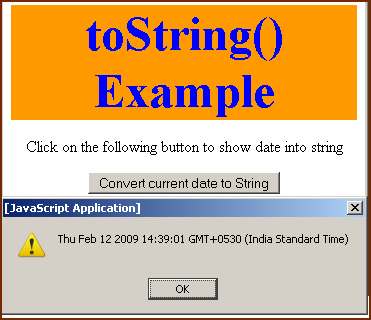
In the above line of code we have first taken the current date object by creating a new date object reference using "new Date()". After this we have converted this to the string. Result of new Date().toString() method is a date converted into the string format and which is shown in an alert message box.
<html>
<head>
<title>toString() method </title>
<script language="JavaScript">
  function convertToString()
  {
    alert(new Date().toString());
  }
</script>
</head>
<body>
<div style="background: #ff9900; width:'100%';"
              align="center">
  <font color="#0000ff" size="12pt">
     <b>toString() Example</b>
  </font>
 </div>
    <center>
     <p>
      Click on the following button to show date
              into string
     </p>
       <input type="button" value="Convert current date to
           String" onClick="return convertToString();"/>
    </center>
</body>
</html>
|
Output :
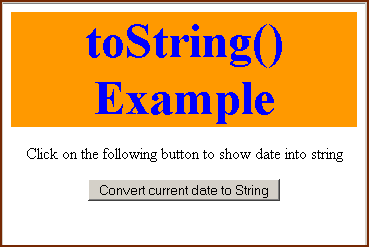
Click on "Convert current date to String" to call the function convertToString()
You can also download full source code from the following link as given :


Tutorials
- Clear cookie example
- JavaScript getElementById innerHTML
- JavaScript getElementById Style
- Javascript Examples
- JavaScript add row dynamically to table
- New Page 1
- JavaScript Change link
- JavaScript Checkbox getElementById
- javascript clear textarea
- JavaScript Clock Timer
- JavaScript Cookies
- JavaScript Date Difference
- JavaScript duplicate string
- JavaScript Email Validation
- javascript focus input
- JavaScript get excel file data
- JavaScript getAttribute Href
- JavaScript getAttribute Style
- JavaScript getElementById div
- JavaScript getElementById Iframe
- JavaScript getElementById select
- JavaScript Hide Button
- JavaScript Hide Div
- JavaScript hide image
- JavaScript Hide Table Column
- JavaScript Hide Table Rows
- JavaScript Key Event
- JavaScript link
- JavaScript method location
- JavaScript move div
- JavaScript move file
- JavaScript move image
- JavaScript Navigate Back
- JavaScript navigate to page
- JavaScript Navigate to URL
- JavaScript indexOf substring
- JavaScript onkeypress event
- JavaScript Open file
- JavaScript Open link in new window
- JavaScript Open Modal Window