'Hello World' file from a servlet (PDF, HTML or RTF).


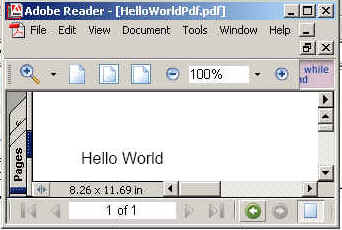
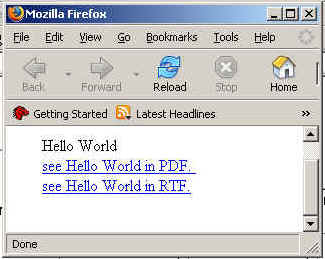
In this program we are going to tell you how we can create three file rtf,pdf and html files.And we are printing here Hello Word on PDF, HTML, And RTF formate.
To make a program over this, firstly we need to import
some packages. Remember to make this program the first and foremost thing to
remember is to place the iText.jar in WEB-INF/lib of your web
application. Without this .jar the application will not run. The
packages we were talking about are java.io.* for input output, com.lowagie.text.pdf.*,import
java.awt.*;import javax.servlet.*;import javax.servlet.http.*,import
com.lowagie.text.*,import com.lowagie.text.rtf.*,import com.lowagie.text.html.*;
Now create a file named helloServletPDF which extends Httpservlet. Remember the name of the file should be such that the reader can easily understand what the program is going to perform. Inside the class declare a main method inside which we are going to write the logic of our program.
In doGet(HttpServletRequest req,HttpServletResponse res) create Document object and getParameter passed by user. Then if parameter passed is equals to "rtf" then set res.setContentType("text/rtf") and writer file on Clint side as with RtfWriter2.getInstance (document,res. getOutputStream()) or if "html" then set res.setContentType("text/html") and writer file on Clint side as with HtmlWriter.getInstance (document,res. getOutputStream()) or if "pdf" then set res.setContentType("application/pdf") and writer file on Clint side as with PdfWriter.getInstance (document,res. getOutputStream()). Finaly close the document.
The code of the program is given below:
import java.io.*;
import java.awt.*;
import javax.servlet.*;
import javax.servlet.http.*;
import com.lowagie.text.*;
import com.lowagie.text.pdf.*;
import com.lowagie.text.rtf.*;
import com.lowagie.text.html.*;


public class helloServletPDF extends HttpServlet
{
public void doGet(HttpServletRequest req, HttpServletResponse res)
throws IOException, ServletException {
String str=req.getParameter("Text1");

Document document=new Document();

try
{
if(str.equals("pdf"))
{
res.setContentType("application/pdf");
PdfWriter.getInstance(document,res.getOutputStream());
}
if(str.equals("rtf"))
{
res.setContentType("text/rtf");
RtfWriter2.getInstance(document,res.getOutputStream());
}
if(str.equals("html"))
{
res.setContentType("text/html");
HtmlWriter.getInstance(document,res.getOutputStream());
}
document.open();
document.add(new Paragraph("Hello World"));
}
catch(DocumentException de)
{
de.printStackTrace();
System.err.println("document: " + de.getMessage());
}
document.close();

}
}
The code of the program is given below:Index.Html
<html>
<head>
<title>
Example of servlet to display "Hello Word "
on PDF,RTF and HTML format using iText
</title>
</head>
<body>
<p><br><br>
<center><b>Enter Data Type Format (Only rtf,html or pdf)</b><br>
<form action="../helloServletPDF" method="GET" name="upform">
<input type="text" name="Text1" ><br>
<input type="submit" name="Submit" value="Submit" >
</form>
</center>
</body>
</html>
The output of the program is given below: