
Core Java| JSP| Servlets| XML| EJB| JEE5| Web Services| J2ME| Glossary| Questions?


Search Tutorials

Latest Questions
Comments
 
Hello world pdf 
 

In this section, you will see how to implement hello world pdf.
 

hello world pdf


In this program we are going to tell you how you can write a simple "Hello World" word in a pdf, rtf and html file irrespective of the fact whether it exists or not.

To make a program over this, firstly we need to import some packages. Remember to make this program the first and foremost thing to remember is to place the iText.jar in WEB-INF/lib of your web application. The packages we were talking about are java.io.* for input output, com.lowagie.text.pdf.*, and com.lowagie.text.*. These two package will help us to make and use pdf file in our program. The package com.lowagie.text.html.HtmlWriter will help you to write the content in Html file, The package com.lowagie.text.pdf.PdfWriter helps to write the content in the pdf file and com.lowagie.text.rtf.RtfWriter2 helps you to write in rtf format. 

Now create a file named HelloMultipleWorld. Remember the name of the file should be such that the reader can understand what the program is going to perform. Inside the class declare a main method inside which we are going to write the logic of our program.

Firstly make a object of class Document. The Document describes a document's page size, margins, and other important attributes. It works as a container for a document's chapters, sections, images, paragraphs, and other content. 

Now create a document writer that writes the equivalent syntax for a document's content to a specific OutputStream. PdfWriter.getInstance() creates a PDF document writer that writes PDF syntax to concerned file by a FileOutputStream. In our example we have created a three different writers that listen to the document. The different writers are for pdf, html and for rtf. If the pdf file doesn't exist then it will create a pdf file by that name.

Now open the document by document.open(). After that add the paragraph to the document. For that create a Paragraph that houses a paragraph of text, tells the PDF document writer to ensure that the Paragraph's text is justified on both sides and adds the Paragraph to the previously created Document. Inside the constructor of Paragraph we have passed one String "Hello World" . Now we need to make the references,  we add the references, but only  to the HTML page. At last closes the document by using the document.close(). The closing of the document is important because it flushes and closes the OutputStream instance. 

The code of the program is given below:

import java.io.FileOutputStream;
import java.io.IOException;

import com.lowagie.text.Anchor;
import com.lowagie.text.Chunk;
import com.lowagie.text.Document;
import com.lowagie.text.DocumentException;
import com.lowagie.text.Paragraph;
import com.lowagie.text.html.HtmlWriter;
import com.lowagie.text.pdf.PdfWriter;
import com.lowagie.text.rtf.RtfWriter2;

public class HelloMultipleWorld {

  public static void main(String[] args) {

    System.out.println("Hello World in PDF, RTF and HTML");

    
    Document document = new Document();
    try {
      
      PdfWriter pdf = PdfWriter.getInstance(document,
          new FileOutputStream("differentWritersdPdf.pdf"));
      RtfWriter2 rtf = RtfWriter2.getInstance(document,
          new FileOutputStream("differentWritersRtf.rtf"));
      HtmlWriter html = HtmlWriter.getInstance(document,
          new FileOutputStream("differentWritersdHtml.html"));

      
      document.open();
      
      document.add(new Paragraph("Hello World"));
      
      Anchor pdfRef = new Anchor("see Hello World in PDF.");
      pdfRef.setReference("./HelloWorldPdf.pdf");
      Anchor rtfRef = new Anchor("see Hello World in RTF.");
      rtfRef.setReference("./HelloWorldRtf.rtf");


      pdf.pause();
      rtf.pause();
      document.add(pdfRef);
      document.add(Chunk.NEWLINE);
      document.add(rtfRef);
      pdf.resume();
      rtf.resume();
      
    catch (DocumentException de) {
      System.err.println(de.getMessage());
    catch (IOException ioe) {
      System.err.println(ioe.getMessage());
    }

    
    document.close();
  }
}

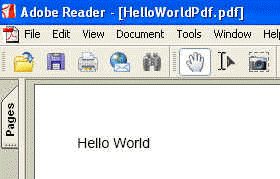
The output of  the program is given below:
Download this program.


» View all related tutorials
Related Tags: c web pdf file stl text application import jar diff io make packages port this package itext app if tex

Leave your comment:

Name:

Email:

URL:

Title:

Comments:


Enter Code:

Audio Version
Reload Image
 

Note: Emails will not be visible or used in any way, and are not required. Please keep comments relevant. Any content deemed inappropriate or offensive may be edited and/or deleted.

No HTML code is allowed. Line breaks will be converted automatically. URLs will be auto-linked. Please use BBCode to format your text.

Add This Tutorial To:
  Del.icio.us   Digg   Google   Spurl   Blink   Furl   Simpy   Y! MyWeb 
Training Courses
Tell A Friend
Your Friend Name
Software Solutions
Least Viewed
Most Rated
Recently Viewed
Search Tutorials


Home | JSP | EJB | JDBC | Java Servlets | WAP  | Free JSP Hosting  | Search Engine | News Archive | Jboss 3.0 tutorial | Free Linux CD's | Forum | Blogs

About Us | Advertising On RoseIndia.net  | Site Map

India News

Indian Software Development Company | iPhone Development Company in India | Flex Development Company in India | Java Training Delhi | Java Training at Noida |

Send your comments, Suggestions or Queries regarding this site at roseindia_net@yahoo.com.

Copyright © 2008. All rights reserved.