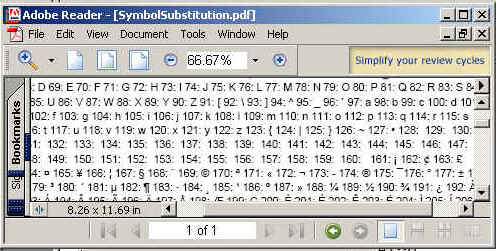
In this example , we are going to explain how we can make symbols using iText api,s. We are using integer values which will converted it into symbol. For this we just convert the integer value into its character value.
Symbol Substitution


In this example , we are going to explain how we
can make symbols using iText api,s. We are using integer values which
will converted it into symbol. For this we just convert the integer
value into its character value.
Code Description:
In this example we convents the integer
values from 33 to 255 and 913 to 969 into character by using explicit
casting of integer values to character values. We use add(Phrase.getInstance(String
s)) method to add the values into the document.
The code of the program is given below:
import java.io.FileOutputStream;
|
The output of the program is given below: