
Vertical Frameset in HTML


The Frame in HTML is used to display more than one web pages in the same page of browser window. In this Tutorial, the code define a example from vertical Frameset. For this we create a two html page name .-
The first page is Qualification.html, In this page we create two radio button, the user can select any one of the two option radio from the web page.
| <!DOCTYPE HTML PUBLIC "-//W3C//DTD HTML 4.0
Transitional//EN"> <HTML> <HEAD></HEAD> <BODY> <p>Try clicking on the text labels:</p> <form name="input" action="saurabh.asp"> <input type="radio" name="Qualification" id="CLASS X" /> <label for="CLASS X">CLASS X</label> <br /> <input type="radio" name="Qualification" id="CLASS XII" /> <label for="CLASS XII">CLASS XII</label><br> <input type="submit" value="submit"></br> </form> </BODY> </HTML> |
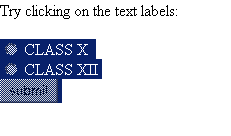
Now the code is saved as Qualification.html. Paste the path of html code into url of browser. The output is displayed as
 |
The second code is saved as Working Experience.html. In this code we create
two radio button, the user can select any one of the two radio options.
| <!DOCTYPE HTML PUBLIC "-//W3C//DTD HTML 4.0
Transitional//EN"> <HTML> <HEAD> <TITLE> New Document </TITLE> </HEAD> <BODY> <form name="input" action="saurabh1.asp"> <title>Year of Working Experience</title>Working Experience<br> <input type ="radio" name ="experience" value ="0-12 MONTH"> </br><label for="0-12 MONTH">0-12 MONTH</label> <br><input type="radio" name ="experience" value ="1-2 Year "> </br><label for="1-2 Year">1-2 Year</label> <br> <input type ="submit" value= "submit"> </form> </BODY> </HTML> |
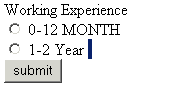
Paste the path of html code in url of your browser,the output is displayed as
follow
 |
Vertical Frameset - The Vertical Frameset explains you how to implement
vertical frameset in a web page. In this code we create a vertical frame The
<frameset cols> is used to set the number and dimension of the column
in HTML page.
<frame src> is used to specify the location of html file.
Now save the code with extension html. Paste the path of html code into url
of your browser.
| <html> <frameset cols="50%,50%"> <frame src="frame_labelhtm"> <frame src="frame_WorkingExperience.htm"> </frameset> </html> |
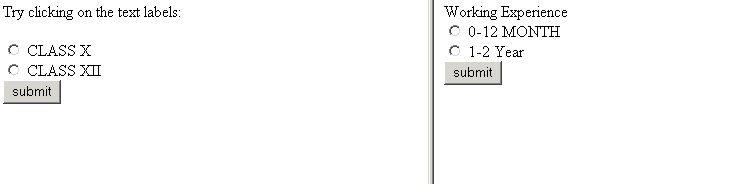
Output on browser is displayed as
|