HTML File Upload


HTML File Upload is used to show the list of all file, when a user click on browse button A form in an HTML (web page) contain an input element with type="file". This involve one or more files into the submission of form. The file are stored into hard disk of the web server, that is why file input is called" file upload".
Understand with Example
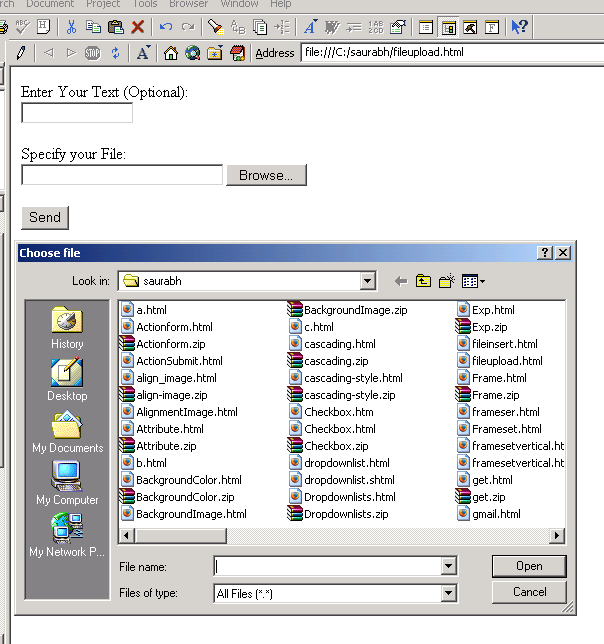
The Tutorial illustrate an example from HTML File Upload. In this code, we create a html page which show you a
<input type="text"> :In HTML,the type of control used in form is defined by the Type attribute. The default value of Type is text, which enables a a single-line text input field. The size attribute define the number of characters in text field.
<input type="file">:The <input type="file> is used to create a upload file with a text box and the browse button. The method attribute used in form must be set to post.
when a user enter the name of file in the specified textbox or click on browse button to search the specific folder and click on a submit button, the filename is submitted.
| <html> <body> <form action="fileinsert.html" method="post"> <p> Enter Your Text (Optional):<br> <input type="text" name="textwrite" size="15"> </p> <p> Specify your File:<br> <input type="file" name="datasize" size="30"> </p> <div> <input type="submit" value="Send"> </div> </form> </body> </html> |
Output on the browser is displayed as