HTML get Method


The HTML get Method is used to submit the data of the page as part of the URL. When the form data or query is submitted, the form data is appended to the url in "URL encoded" form.
Understand with Example
The Tutorial helps you to understand an example from HTML get Method. In this Tutorial, we create a html page name post.htm.The <form action> is used to send the data of post.htm to another page name get.html. The get method is used to transfer the data as part of the URL and the data is visible to the user, that was sent from post.htm.
The default value of method attribute in form action takes get method.
| <html> <body> <FORM ACTION="get.html" METHOD=GET> <P>Please Fill the Registration Form</p><br> Enter Your Name<input type="text" name="username"><br> Enter Your Credit Card Number<input type="text" name="credit Number"><br> <input type="submit" value="send"> </FORM> </body> </html> |
In order to execute the code, we need to place the post.html in web apps folder of tomcat (version installed in system). The get.html is also saved in the same folder of web apps where get.post.html is saved. Run the program by giving the http://localhost:8080/wepapps/post.html in url of browser.
Output is displayed as
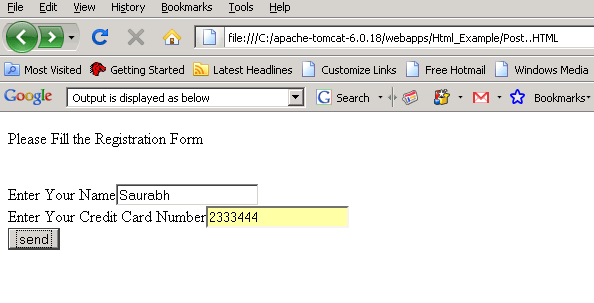
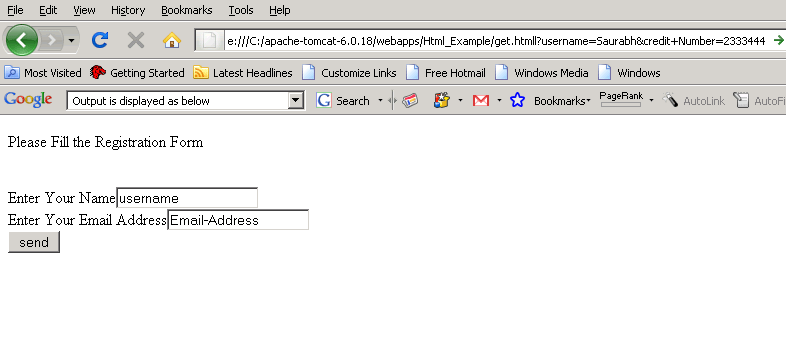
On submitting the post.htm, the get.html page is open. The get.html show the data filled by user in post.html display to the user.
| <html> <body> <FORM ACTION=""> <P>Please Fill the Registration Form</p><br> Enter Your Name<input type="text" Value="username"><br> Enter Your Email Address<input type="text" value="Email-Address"><br> <input type="submit" value="send"> </FORM> </body> </html> |
Output is displayed as below