Struts Forward Action Example


In this section we will learn about Struts ForwardAction (org.apache.struts.actions.ForwardAction). The ForwardAction is one of the Built-in Actions that is shipped with struts framework.
The org.apache.struts.actions.ForwardAction class enables a user to forward request to the specified URL. ForwardAction is an utility classs that is used in cases where a user simply needs to forward the control to an another JSP page. Linking directly a JSP to an another, violates the MVC principles. So we achieve this through action-mapping. Note that we do not create any action class. With ForwardAction , simply create an action mapping in the Strut Configuration and specify the location where the action will forward the request..
Here in this example you will learn more about Struts Forward Action that will help you in grasping the concept better.
No need to develop an Action Class
Developing the Action Mapping in the struts-config.xml
Create seperate action-mapping , for each page
you want to link.. Note that the "type"
attribute always take
"org.apache.struts.actions.ForwardAction" value.
Here
"parameter" attribute
specifies the URL to which the request is forwarded .
| <action path="/success" type="org.apache.struts.actions.ForwardAction" parameter="/pages/Success.jsp" input="/pages/ForwardAction.jsp" scope="request" validate="false"> </action> |
Developing a jsp page
Code of the jsp (ForwardAction.jsp) to forward request to a different jsp page :
<%@ taglib uri="/WEB-INF/struts-bean.tld" prefix="bean"%> <%@ taglib uri="/WEB-INF/struts-html.tld" prefix="html"%> <html:html locale="true"> <HEAD> <TITLE>Forward Action Example</TITLE> <BODY> <H3>Forward Action Example</H3> <p><html:link page="/success.do">Call the Success page</html:link></p> </html:html> |
Add the following line in the index.jsp to call the form.
<li>
<html:link page="/pages/ForwardAction.jsp">Struts Forward Action</html:link>
<br>
Example shows you how to use forward class to forward request to
another JSP page.
</li>
Building and Testing the Example
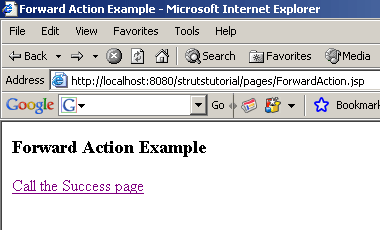
To build and deploy the application go to Struts\Strutstutorial directory and type ant on the command prompt. This will deploy the application. Open the browser and navigate to the ForwardAction.jsp page. Your browser will display the following ForwardAction page.
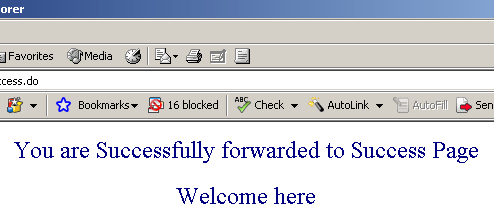
Selecting Call the Success page displays the following Success.jsp page