
Tomahawk graphicImage tag


This tag is used to display the image on the page. This tag renders an html "img" element. This tag renders the image file stored in the location specified in the "value" attribute of "graphicImage" tag. If this image file is not present in the specified location then the value of the alt attribute is displayed instead of the desired image file. In this example, value attribute is set to the location "images/LOGO.gif" and alt attribute is set to "This is alternative text if any problem in rendering image.". So this image is displayed on the page, if there is any problem in getting this image file ("images/LOGO.gif") then the text specified in the alt attribute ("This is alternative text if any problem in rendering image.") is displayed on the page. We can set width, height of the image. If we want tooltip for this image to be displayed when focus comes to the image, then we can use title attribute. There are several attributes of this tag to give it different look and structure like if we set ismap attribute to true within anchor tag then the positon of the pointer of mouse is displayed at the bottom of browser window and if we set the usermap to any map then we can select area and link this area to any address of other page. This component also has ability to be visible or not visible according to the role of the user. In the same way, it also has the ability to be enable or disable according to the user role. This component also has the capability to render the id for the component just the same as we have mentioned in the id attribute of the tag. Normally the naming system of JSF renders the id for the component with some additional text, typically with id of the form as prefix. But this component has an attribute forceId which forces the component to render the same id mentioned in the id attribute.
Code Description :
<%@ taglib uri="http://java.sun.com/jsf/html" prefix="h"%>
<%@ taglib uri="http://java.sun.com/jsf/core" prefix="f"%>
<%@ taglib uri="http://myfaces.apache.org/tomahawk" prefix="t"%>
<f:view>
<html>
<head>
<meta http-equiv="Content-Type" content="text/html; charset=iso-8859-1">
<title>t:inputText example</title>
<style type="text/css">
<!--
body{
background-color:#fff2f2;
margin-top:30;
}
-->
</style>
</head>
<body ><center>
<h:outputLink value="http://www.roseindia.net">
<t:graphicImage id="gi" url="images/LOGO.gif" align="left" border="1"
hspace="100" vspace="0"
alt="This is alternative text if any problem in rendering image."
ismap="true" usemap="#RoseIndia"/>
<MAP name="RoseIndia">
<AREA coords="50,51,28" shape="circle"
href="http://www.roseindia.net/jsf"
alt="Home" title="rose India home">
</MAP>
</h:outputLink>
</center></body>
</html>
</f:view>
|
Rendered Output :
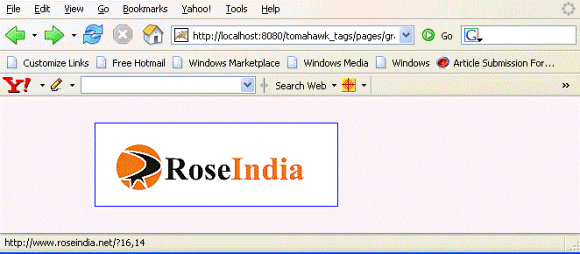
This is the output of the above code in which an image "LOGO.gif"
is displayed. In the bottom of the image you can see the position of the
cursor over the image. In this figure it is 16,14. The position starts
from the upper left corner of the image.
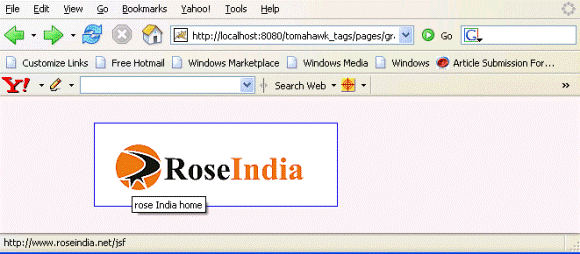
This figure shows the result of using usemap attribute. When we move the pointer of the mouse over the circle in the image and click anywhere we will move to the address provided in the map for the circled area. In this example it is "roseindia.net./jsf".
Html Source Code :
<html>
<head>
<meta http-equiv="Content-Type" content="text/html; charset=iso-8859-1">
<title>t:inputText example</title>
<style type="text/css">
<!--
body{
background-color:#fff2f2;
margin-top:30;
}
-->
</style>
</head>
<body ><center>
   <MAP name="RoseIndia">
	<AREA coords="50,51,28" shape="circle"
		href="http://www.roseindia.net/jsf"
		alt="Home" title="rose India home">
   </MAP>
   <a id="_idJsp0" name="_idJsp0" href="http://www.roseindia.net">
<img id="gi" src="images/LOGO.gif" align="left"
alt="This is alternative text if any problem in rendering image."
border="1" hspace="100" ismap="ismap" usemap="#RoseIndia"
vspace="0" />
   </a>
</center><!-- MYFACES JAVASCRIPT -->
</body>
</html>
|
This tag contains attributes given below :
- id : This is the value which is used to uniquely identify the component within the closest container like form or subview. The main thing to remember is that its value must be a static value.
- binding : This attribute is used to specify the property of the backing bean with which this component instance is to be bound.
- rendered : Its default value is true. If this attribute is set to true then this component is presented in the page to the user. If false, then this component is not rendered.
- url : This is the alternative of the value attribute.
- value : This attribute is used to provide the URL of the image.
- dir : It is used to set the direction of the text to be displayed. It can take two values LTR(left to right) and RTL (right to left).
- lang : It is used to set the base language of the component when displayed.
- style : It is used to set the CSS style definition for the component.
- title : It is the standard html attribute. It is used to set the tooltip text for this component.
- styleClass : It is used to set the CSS class for the component. It is same as html class attribute.
- onclick : Script to be invoked when the element is clicked.
- ondblclick : It is used for Java Script code to be invoked when the element is double-clicked.
- onmousedown : It is used for Java Script code to be invoked when the pointing device is pressed over this element.
- onmouseup : It is used for Java Script code to be invoked when the pointing device is released over this element.
- onmouseover : It is used for Java Script code to be invoked when the pointing device is moved into this element.
- onmousemove : It is used for Java Script code to be invoked when the pointing device is moved while it is in this element.
- onmouseout : It is used for Java Script code to be invoked when the pointing device is moved out of this element.
- onkeypress : It is used for Java Script code to be invoked when a key is pressed over this element.
- onkeydown : It is used for Java Script code to be invoked when a key is pressed down over this element.
- onkeyup : It is used for Java Script code to be invoked when a key is released over this element.
- align : This attribute is used to set the horizontal alignment of the component.
- border : This attribute is used to specify the width of the border of the image.
- hspace : This attribute is used to set the space from left and right.
- vspace : This attribute is used to set the space from above and below.
- alt : This is used as an alternate text that is displayed when browser is not able to display the element.
- height : This attribute is used to specify the height of the image.
- ismap : This is a boolean attribute that defines whether this component used the server side image map.
- longdesc : This attribute is used for long description of the image..
- usemap : This attribute is used to specify an image map to use with this image.
- width : This attribute is used to specify the width of the image. If it is not specified then it takes original width of the image.
- enabledOnUserRole : If the current user has one of the roles listed in the enabledOnUserRole attribute then enabling or disabling of the component is decided on the base of "disabled" attribute. If disabled attribute is set to true then component is disabled otherwise enabled. If the user is not in the above list then the component is rendered disabled.
- visibleOnUserRole : If the current user has one of the roles listed in the visibleOnUserRole attribute then processing of the component is decided on the base of "rendered" attribute. If the rendered attribute is set to true then component is not rendered otherwise displayed on the page. On the other hand if the current user is not in the above list then the component is not processed.
- forceId : This is a boolean attribute with default value false. If this attribute is set to true, the tag is forced to render the id for the component exactly as mentioned in the id attribute of the tag. The benefit of this attribute is that we can reference component by id in the javascript. If we don't use this attribute with the true value then the id for the component is presented in different format.
- forceIdIndex : This is a boolean attribute with default value true. If this value is true then the the component displays the index number in its id value if the component is in a list. If this attribute is set to false then this component will not append index number as suffix . If forcrId is set to false then its value is ignored.