Ant make directory with relative path


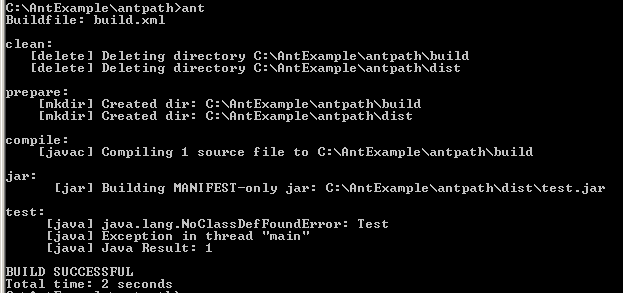
This example illustrates how to make directory, how to compile java file and how to create jar file. This is a simple program that uses <classpath refid="test.classpath"> to map with the jar file. In this example five targets are used, the first target <target name="clean"> is used to delete the build and the dist directory. The second target <target name="prepare"> is used to create the build and the dist directory. The third target <target name="compile"> is used to compile the java file and copy the class file in build directory. The fourth target <target name="jar"> is used to create the jar file in the dist directory from the name of test.jar. The fifth target <target name="test"> is used to map with the class path by the reference id. The source code of build.xml file is as follows:
|
|
Source code of Test.java:
|
|
Run this program on the appropriate path with ant command. The following
output will be displayed.