Creating custom animations in jQuery


Creating custom animations in jQuery
You can perform custom animation by using '.animate( )' method .
Example :
In this example , we are animating a image using animate function of jQuery. We can do following things during animation using it's attribute (attributes are given inside braces):
1.Can reduce Image opacity(opacity).
2.Can reduce the height of Image(left).
3.Can shift Image position to left at a given distance(height).
animateImage.html
<!DOCTYPE HTML PUBLIC "-//W3C//DTD HTML 4.0 Transitional//EN">
<HTML>
 <HEAD>
  <TITLE> New Document </TITLE>
  <script type="text/javascript" src="jquery-1.4.2.js"></script>
  </HEAD>

 <BODY>

 <div id="clickme" >
 <font color="red">
  Click here
  </font>
</div>
<img id="book" src="images/jquery5.jpeg" alt="" width="200" height="223"
style="position: relative; left: 10px;" />
<script>
$('#clickme').click(function() {
$("#targetDiv").hide();
$('#book').animate({
opacity: 0.25,
left: '+=50',
height: 'toggle'
}, 5000, function() {
// Animation complete.
$("#targetDiv").html("<h3>"+ "Click again above link to animate"
+ "</h3>").fadeIn("slow");
  });
});

</script>

<font color="blue">
<div id="targetDiv" style="display: none;"></div>
</font>
 </BODY>
</HTML>
|
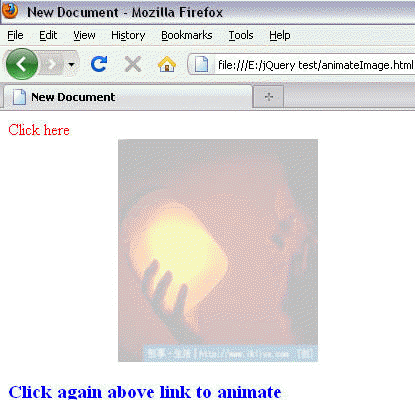
Output :
Before Click :
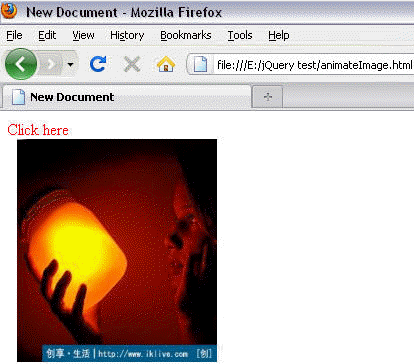
After Click :

Again after 3rd click :
Learn from experts! Attend jQuery Training classes.